
Wishlist alerts
You can email a shopper when something they saved drops in price or comes back in stock. The emails come from an automation, so you turn them on by adding it, and you edit their wording on its page.
Turn the alerts on
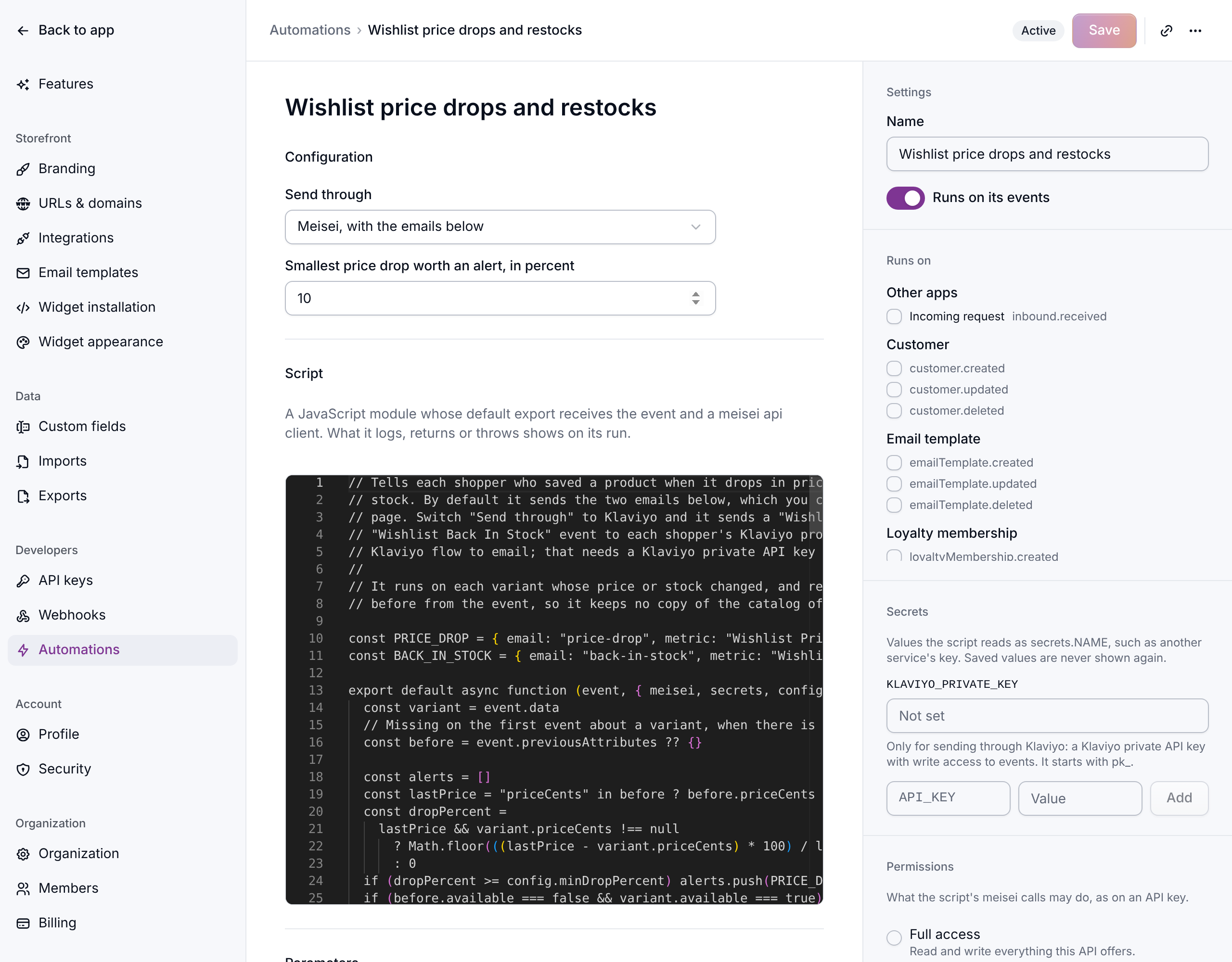
- Open Settings → Automations, click Create automation and pick Wishlist price drops and restocks.
- Under Configuration, set Smallest price drop worth an alert, in percent. It starts at 10. Meisei ignores a smaller drop, so a penny off never becomes an email.
- Turn on Runs on its events and save.
Meisei remembers each variant's price and stock from one sync to the next, so the first change it can announce is the one after it has seen the variant once.
Change the wording
The two emails, Price drop and Back in stock, are under Emails on the automation's page. Open one to change its subject, preview line and body, with a preview beside it. Both are sent inside your store's email layout, so your logo and colors are already there.
What gets sent
- Price drop goes out when a saved item's price falls by at least your threshold, compared with its price at the last sync that changed it (not a list or compare-at price).
- Back in stock goes out when a saved item goes from out of stock to available. This needs a store that reports stock, which usually means a connected Shopify store.
A shopper who saved one variant hears about that variant. A shopper who saved the whole product hears once rather than once per size: about a drop in the variant that is now its lowest price, or about the first variant back in stock. Items they have already bought are left out, and a sync that rewrites the same catalog sends nothing.
Who doesn't get them
The alerts are marketing email, so a shopper who has unsubscribed is skipped, and so is an imported shopper you have never emailed. Every alert carries its own unsubscribe link.
Sending through Klaviyo instead
If Klaviyo sends your email, set Send through to Klaviyo and save a Klaviyo private API
key with write access to events as the KLAVIYO_PRIVATE_KEY secret. The automation then
sends a "Wishlist Price Drop" or "Wishlist Back In Stock" event to each shopper's Klaviyo
profile instead of emailing them, and a Klaviyo flow on each metric sends the email.
If something isn't working
- No emails after a sale. Check the drop was at least your threshold, and open the automation's recent runs: each one says how many alerts it sent and how many shoppers it skipped, and why.
- No back-in-stock emails. Meisei has to have seen the item out of stock first. Check the product syncs from a connected store, and that Shopify tracks inventory for that variant.
Next steps
- Automations for the other templates.
- Wishlists for the rest of the settings.