
Getting started
Meisei keeps a setup guide on your dashboard, so getting started takes three steps and about 15 minutes.
1. Sign up
Create your account with your email address and your store's web address. There's no password. Meisei emails you a link to sign in. Your free trial starts as soon as you follow it.
2. Follow the setup guide
The link opens your dashboard, with a setup guide above the charts. Each step opens the page where it's done. Do them in any order, and skip any you don't need:
- Connect your store: install the Meisei app on Shopify, or import your catalog.
- Set your branding: your logo and colors on emails and the pages customers see.
- Send review requests: turn on the email that asks each order for a review.
- Set up a loyalty program: how customers earn points and what they can spend them on.
- Set up wishlists: how many lists a shopper keeps and whether they can share them.
- Install the widgets: add reviews, rewards and wishlist buttons to your storefront.
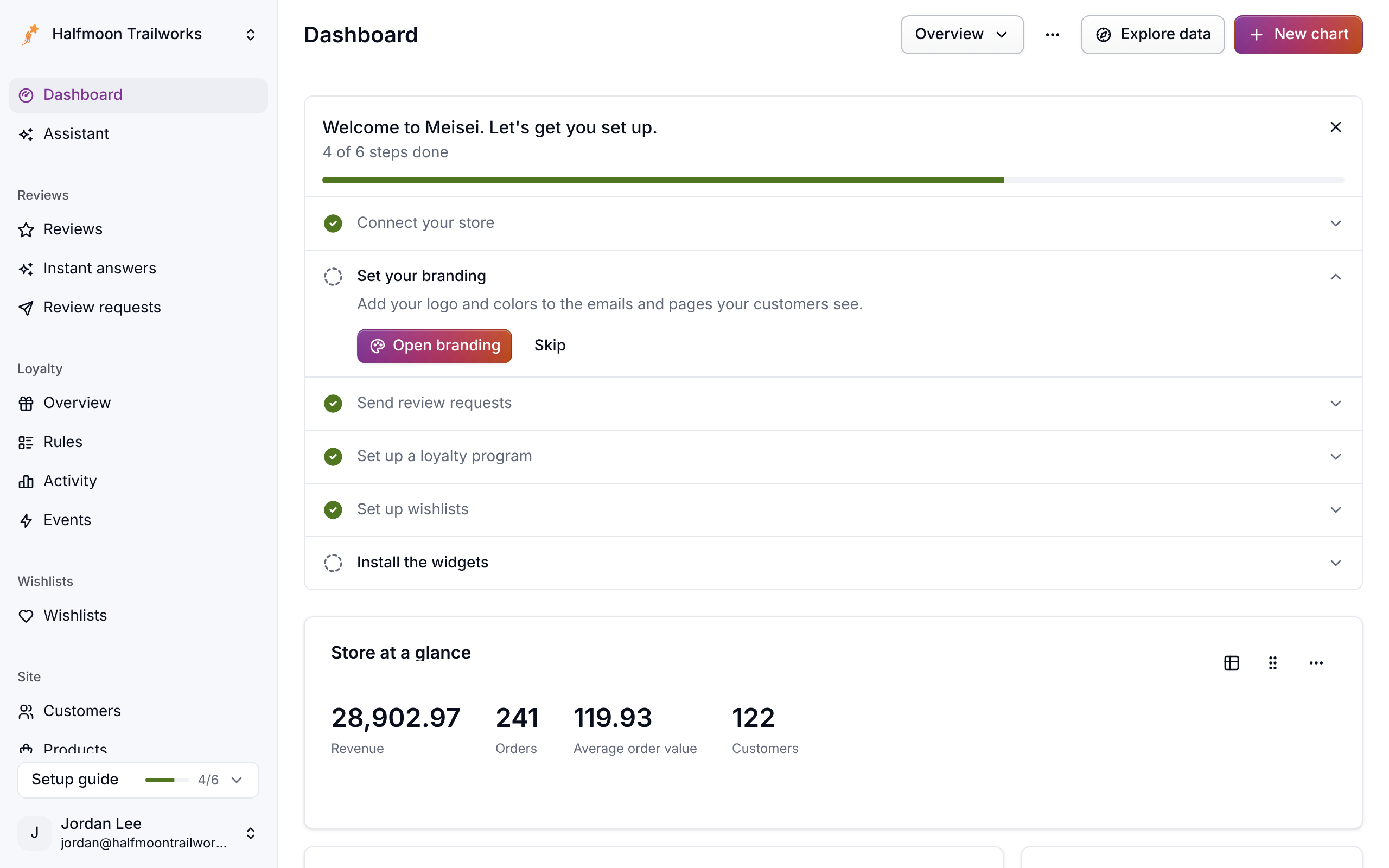
Meisei ticks a step off once it sees it done, such as your first widget loading on your store. Open a step to tick it off yourself: Done once your store is connected, or Skip for a step you don't need. The same list sits at the foot of the sidebar while steps are left. When you're finished, hide the guide. Bring it back any time from your account menu, under Show setup guide.
3. Bring your history across
Moving from another app? Bring your reviews and loyalty balances with you, so nothing starts from zero and no customer is asked twice.
Next steps
- Connect Shopify in detail: Connecting Shopify.
- Shape the request email: Collecting reviews.
- Invite your team: Members and roles.
- Look up a word: Glossary.