
AI features
Meisei uses AI in five places, all optional: review summaries, sentiment, instant answers, review screening and the dashboard assistant. Every one of them is on every plan.
None of them change your data on their own. Summaries and answers can be turned off, screening and sentiment only label, and the assistant asks before it changes anything.
Review summaries
Once a product has five or more published reviews, the reviews widget shows a short summary of what reviewers say above the list, marked as generated, with up to five themes and whether reviewers raise each one as praise, a complaint or both. It refreshes at most once a day per product, and only after roughly ten more reviews or 20 percent growth.
- Turn it on or off for every product with Summarize what reviewers say under Settings → Features → Reviews.
- On one product, open it under Products to regenerate the summary, hide it from your storefront, or go back to the previous version after a regeneration you didn't like. Regenerating needs the setting above turned on.

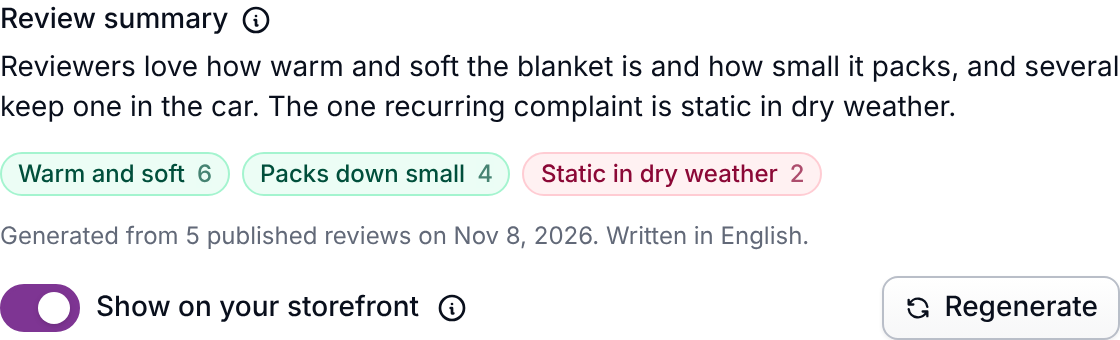
Summaries only ever read published reviews, never the original text of a review you've redacted, and are written in whichever language most of the reviews use.
Sentiment
Every review gets a label saying how it reads: positive, neutral or negative. It's judged from the words, not from the stars, so the two can disagree. That's the point. A five star review that spends four sentences on a sizing problem is the one you want to find.
Turn it on with Label how each review reads under Settings → Features → Reviews. The reviews you already have are labeled in the background, newest first, and new ones are labeled as they arrive.

What you can do with it:
- Filter your reviews. Add a Sentiment filter under Reviews to pull up every negative one, or every negative one rated four stars and up.
- Chart it. Sentiment is a grouping on the Reviews dashboard under Dashboard, alongside the rating distribution.
- Change a label. Open any review and pick a different one. Meisei never writes over a label you set by hand.
Shoppers never see any of this. Nothing is published, held back or hidden because of a label, and the label is not part of what search engines read.
Instant answers
A shopper types a question into the Looking for specific info? box in the reviews widget and gets a short answer right away, drawn from that product's published reviews and its product page, with the reviews it used shown underneath. If neither covers it, the shopper is told so rather than given a guess.
The instant answer is shown only to the shopper who asked. It's never published, never emailed, and nothing about the shopper is kept.
- Turn on Show an instant answer while they wait under Settings → Features → Reviews.
- Review what shoppers are being told under Reviews → Instant answers: each question, its product, how often it's been asked, and the answer. Hide any answer and shoppers asking that question are told the reviews don't say.
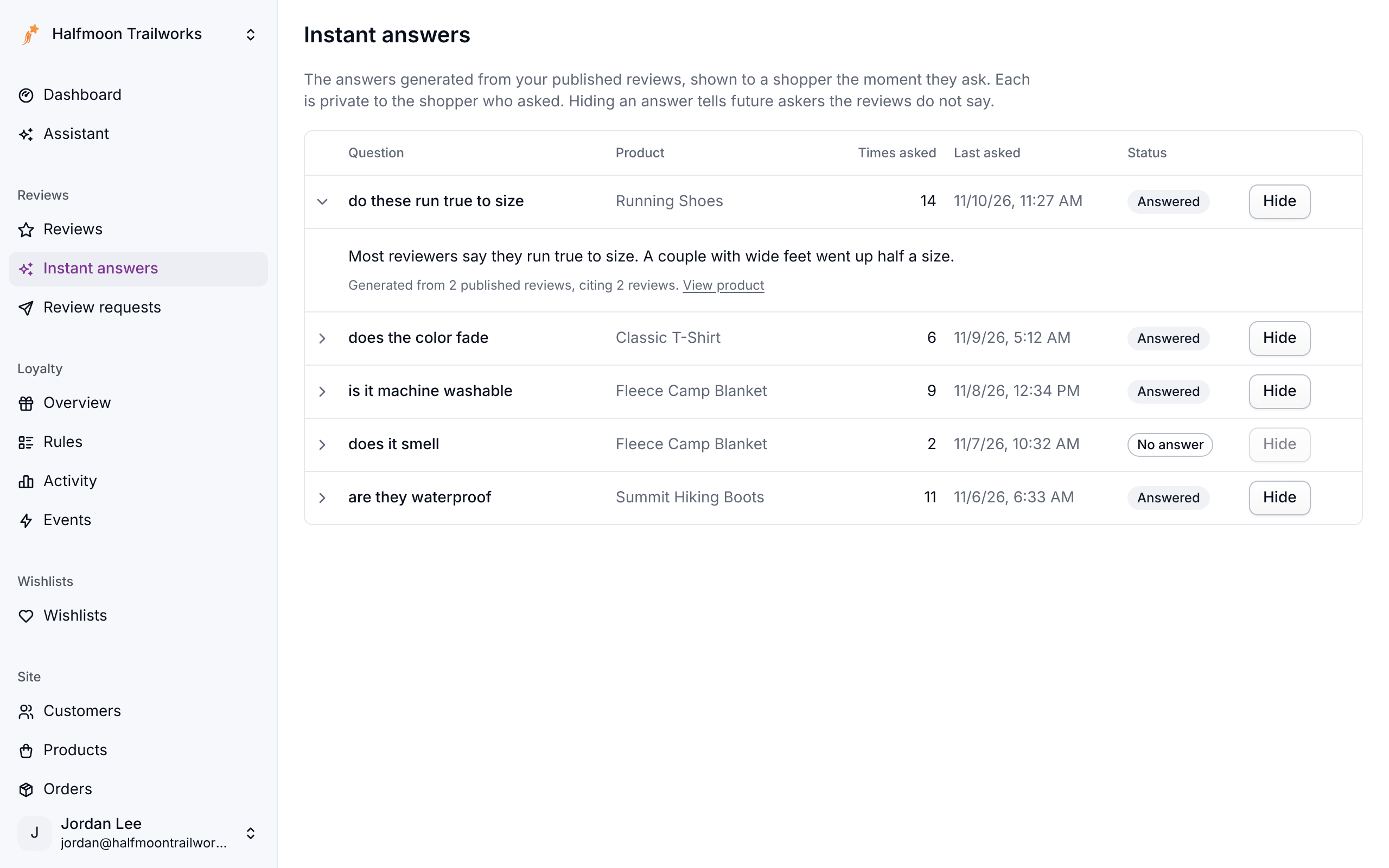
The box appears only on products with enough published reviews (five, the same as summaries). Repeat questions reuse the stored answer and cost nothing. Once your AI budget for the month is used up, the box stops writing answers and shows the reviews that mention the shopper's question instead. Shoppers never see an error. Nothing ties a stored question to a shopper.
What the answer knows
Besides the reviews, the model reads the product's description as Meisei has it and what the page the shopper is on says about the product: the page title, its description and the product data your theme already publishes for search engines. So "is it machine washable?" can be answered from your product copy even when no reviewer mentioned it. The answer says which it is relying on, reviewers or the page.
You can tell it more. On Shopify, the Product reviews block has a Notes for instant
answers field: put in what the reviews and the page don't cover (shipping, returns,
sizing advice) and how you want questions answered. On another storefront, set
data-meisei-context on the widget; see Widgets. A
change to the notes or the page regenerates stored answers the next time each question is
asked.
Review screening
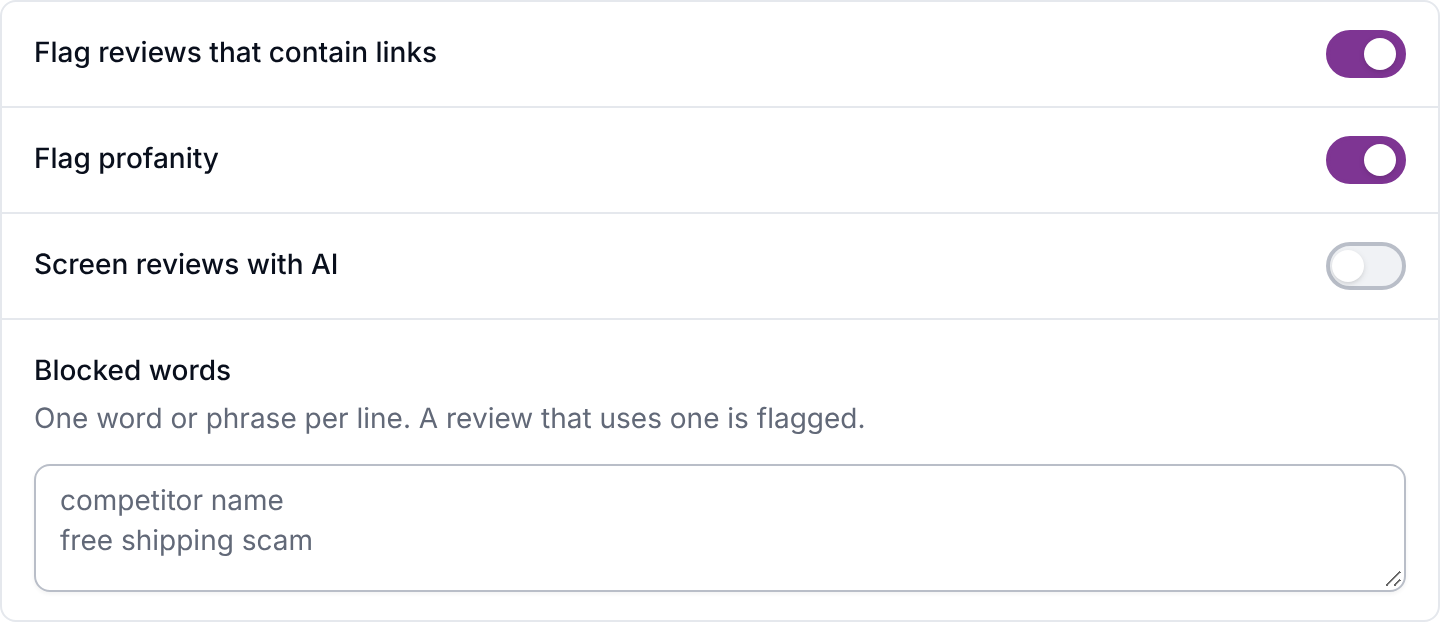
Screening reads each new review and flags the ones a person should look at: off-topic text, abuse, a review that's really about a different product, longer reviews that look AI-written, and photos or videos that show something that shouldn't be on your store. It only flags. Nothing is rejected, edited or deleted, and shoppers are never told. A flagged review waits in your moderation queue with the reason shown, the same as reviews caught by your blocked words.
Turn it on with Screen reviews with AI under Settings → Features → Reviews.
Two things to know:
- With screening on, a review that would auto-publish waits until screening has read it, so spam is never live under your brand even for a few seconds.
- Treat an "AI-generated" flag as a reason to read the review. Short reviews are skipped and only high-confidence matches are flagged, because a well-written review from a real customer is a normal thing to find.
If screening can't run, reviews wait in the queue for a person, as they would with the feature off.
Photos and videos
Screening looks at every photo and video a customer attaches, including frames from across each video. It flags nudity, violence, hateful or illegal content, personal details like an address label, and pictures that have nothing to do with the product. A photo of a damaged or badly fitting product is fine and isn't flagged.
- Without screening, photos and videos are never published automatically. A review that has them waits for you, with a note saying why, even if it would otherwise auto-publish.
- Anything that couldn't be checked waits for you too, such as a video in a format screening can't read.
- Flagged photos and videos stay hidden on the review's page until you choose Show attachments.
- If a flag mentions a child safety concern, don't open, download or share the file. Delete the review and contact Meisei support.
Nothing a customer uploads is visible on your store until the review is published, and it comes down again if you unpublish the review.
Your AI budget
Each plan includes a monthly AI budget. Only the features that answer on demand spend from it: instant answers, the assistant (including when it writes widget CSS or an email template for you), and the check for AI-written reviews.
A free trial includes $0.50 for the whole trial. When your store grows into a bigger plan's price range during a month, it gets that plan's budget too.
- Summaries, sentiment and screening never stop. They don't spend from the budget, so a busy month never leaves new reviews unread.
- Past the budget, nothing is billed. Instant answers show matching reviews instead of an answer, and the assistant tells you the budget is used up. Everything comes back on the 1st of the month (or when your plan starts, after a trial).
Developers can read the month's spend from the usage endpoint.
Next steps
- The assistant: ask questions about your store in plain language.
- Moderating reviews.
- Plans and limits for what each plan includes.