
Billing
This page helps you start a plan, find your invoices and understand what your billing page is telling you. Prices and allowances are on Plans and limits.
Everyone on your team can open Settings → Billing, but only an owner can subscribe, change payment details or cancel. See Members and roles.
Your free trial
Every new account starts on a 14-day free trial the moment you sign up. There is no card to enter and nothing to activate, and every feature is on.
The trial does not turn into a paid plan on its own, and nothing is charged when it ends. You'll see a banner during the last week, and owners get an email three days before and again on the day.

There is one trial per account. Subscribing again after a cancellation, or after reinstalling the Shopify app, starts a paid plan straight away.
Start a plan
- Open Settings → Billing.
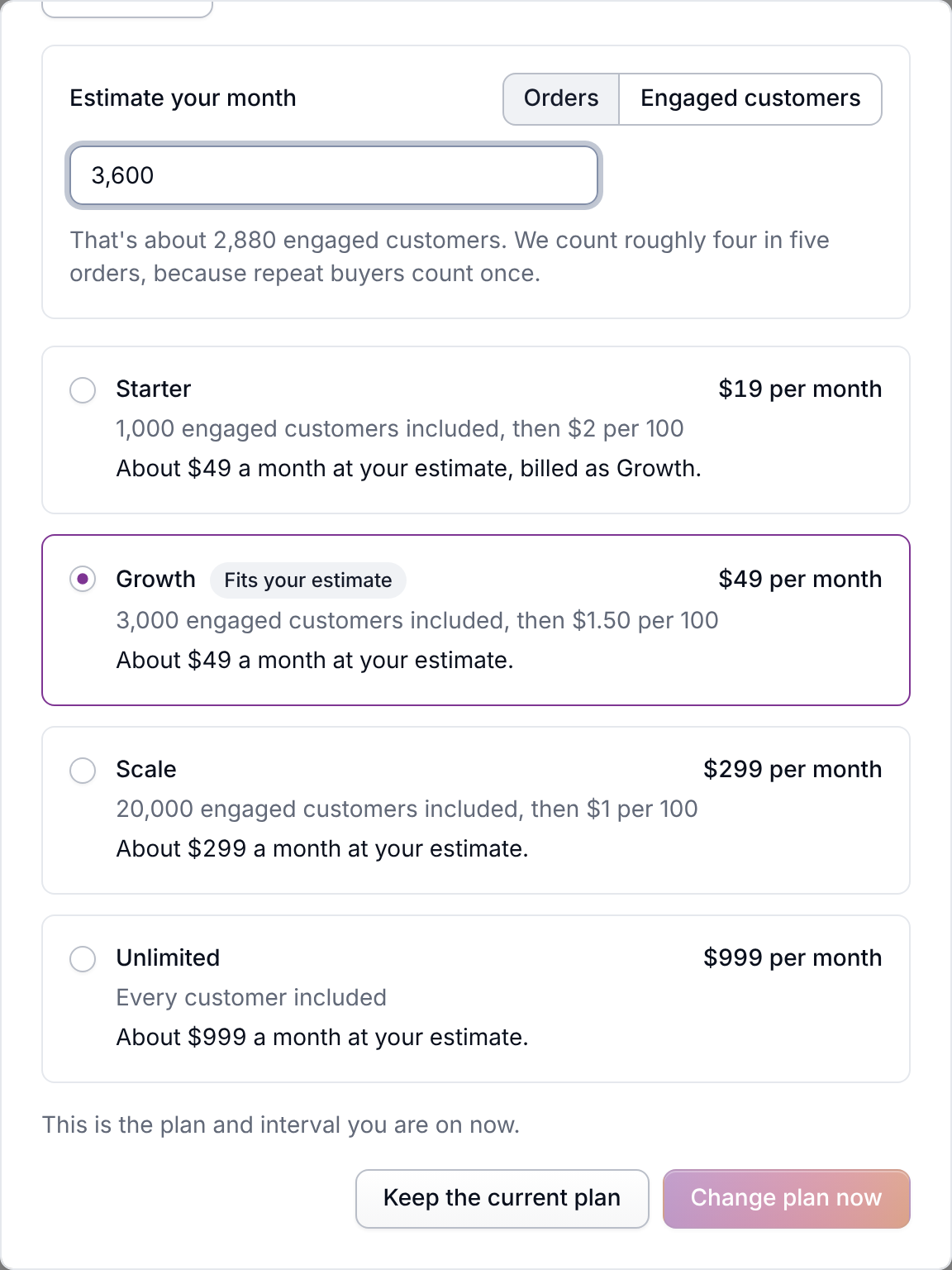
- In Estimate your month, choose Orders and type your orders in a typical month (it starts from this month's engaged customers once you have some). Each plan shows what a month would cost you, and the cheapest one is marked Fits your estimate.
- Pick a plan and choose monthly or yearly billing. Your plan is the least a month costs. A busier month is billed as the cheapest plan that covers it, never more than $999.
- Subscribe. This is the first time Meisei asks for a card.
Need invoicing, a DPA or several organizations on one agreement? Email us about a contract on top of Unlimited.
If you installed Meisei from the Shopify app store, Shopify bills you instead: pick the plan inside the Meisei app in your Shopify admin and approve the charge Shopify shows you. See Changing or canceling your plan.
What the billing page tells you
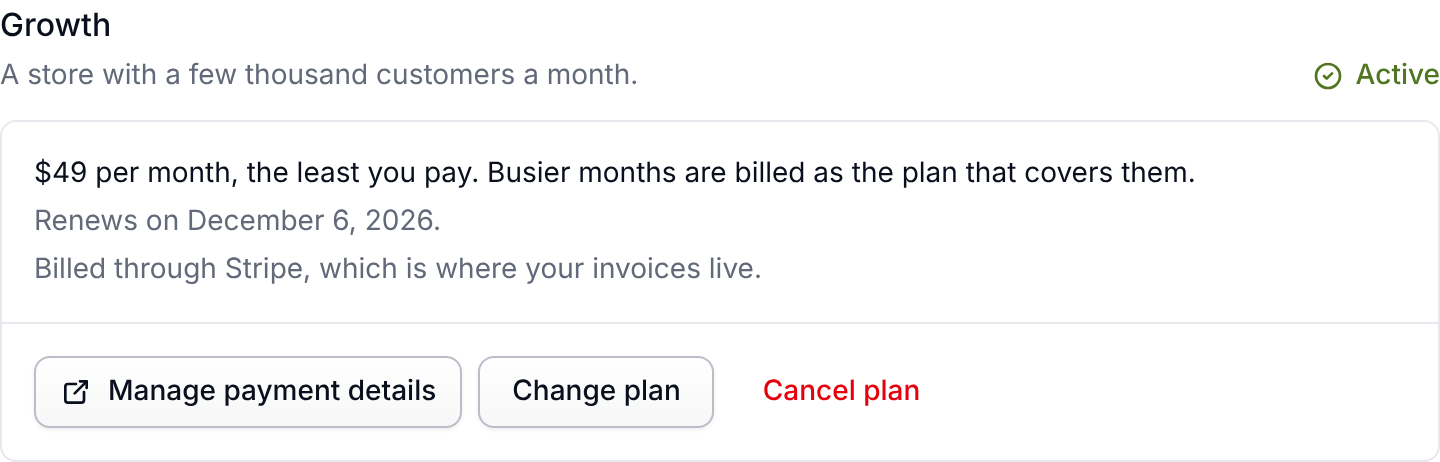
The section at the top names your plan and its state:
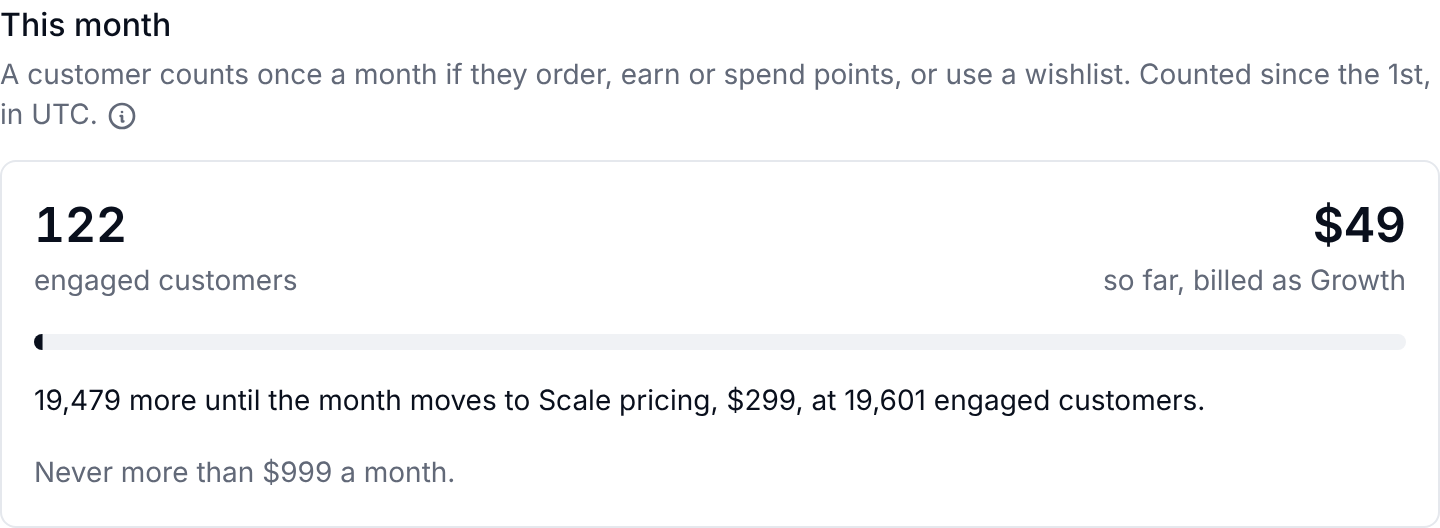
Below it, This month shows your engaged customers so far and what the month comes to, with one bar counting down to the point where the month moves to the next plan's pricing. A customer counts once a month if they order, earn or spend points, or use a wishlist.
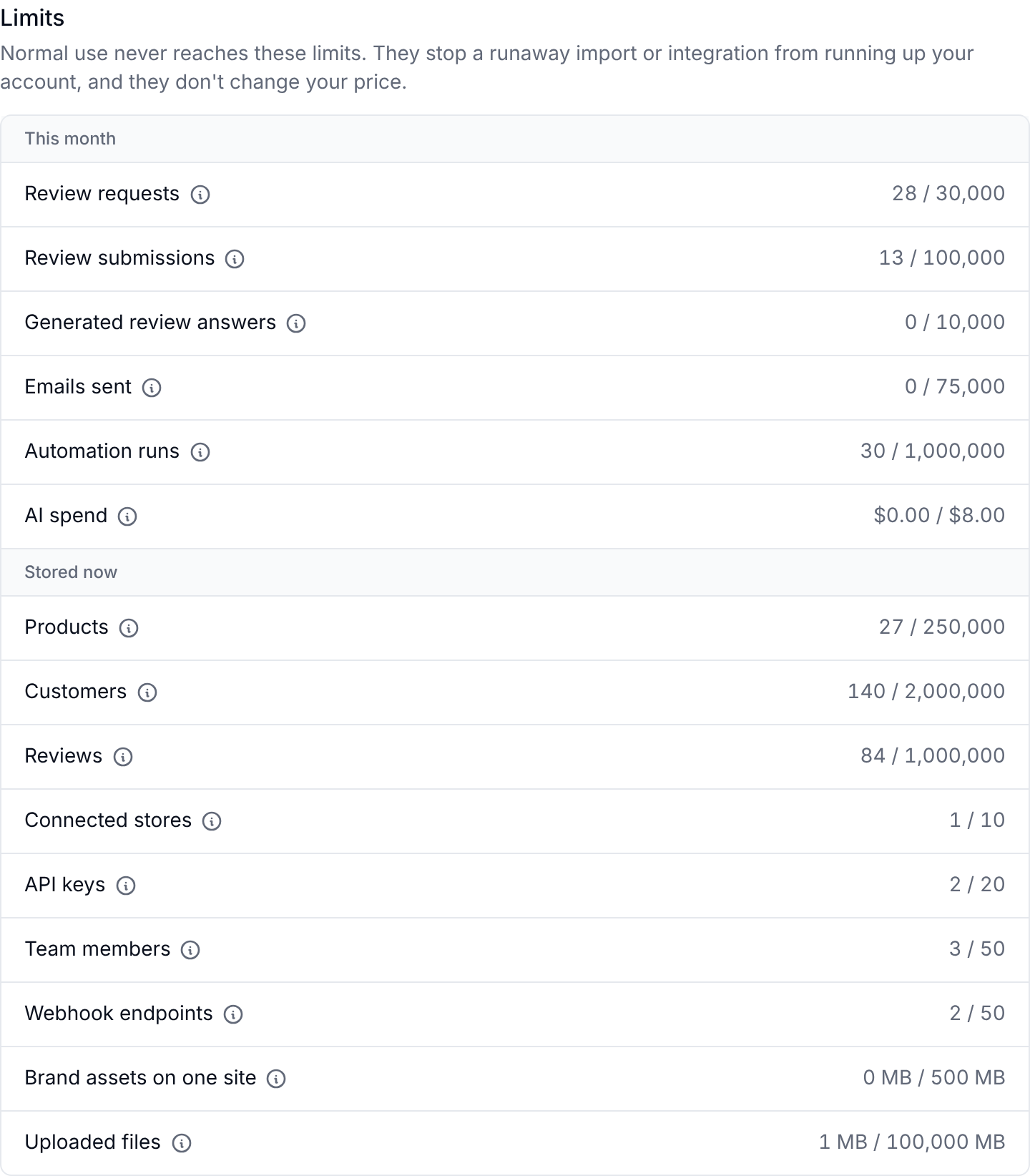
At the foot of the page, Limits lists the safety nets, such as emails sent, AI spend and products stored. They are not prices, and normal use never reaches them. See Plans and limits.
Payment details and invoices
Manage payment details on the billing page opens the account of whoever charges you, which is where your card, billing address and every invoice live. Meisei does not store your card or keep a copy of your invoices.
Who charges you depends on how you arrived. If you sign up on the website, Meisei bills your card. If you install from the Shopify app store, the plan goes on your Shopify invoice. The price is the same either way, and you are never billed twice.
If you go over an allowance
Nothing changes the day it happens. With Bill busier months at the plan that covers them on (the default), everything keeps working and the month is billed at the cheapest plan that covers your customers, never more than $999. You get an email before it moves into the next plan's pricing. With it off, your price stays the same, you get an email at 80 percent of your allowance, and new activity stops after 14 days over. Nothing is ever deleted. See Going over an allowance.
What happens when your trial ends, or you cancel
Your account goes read only. You can still sign in, read everything and export your data, and your storefront widgets keep working exactly as before. Review requests, loyalty signups and new wishlists carry on too, because those come from your shoppers. What stops is creating, editing or deleting anything in the admin.
Your plan's engaged-customer allowance still applies, because nothing is billed for going over it. If you go over, new activity stops 14 days later, the same as with overage billing switched off. See Going over an allowance.

If you have ever paid for a plan, nothing is deleted. Your reviews, loyalty balances, wishlists, products and customers stay where they are, and picking a plan puts everything back at once.
A trial that ends without a plan is different. If you never subscribed, we delete the organization's data 90 days after the trial ended: its reviews, customers, loyalty members, wishlists, settings and uploaded files. We email the owners 60 days after the trial ended to say which day, so you always have at least a month's notice. Choose a plan before that day and nothing is deleted. Your sign-in and the organization itself stay, so you can come back and start again.
What we email you about
- About to move into the next plan's pricing (with overage billing on), Nearly at an allowance (80 percent, with it off), Over an allowance and New activity stopped go to everyone on the team, because the person who notices is not always the person who pays.
- Payment failed, Trial ending, Trial or plan ended, Plan changed and Trial data will be deleted go to owners only.
Each email is sent once per event, and there is no setting to turn them off.
If something isn't working
- The plan says Payment failed: choose Manage payment details and update your card. A plan can't be changed until the payment goes through.
- You can't find an invoice: it lives with whoever bills you, in Stripe or in your Shopify admin under Settings → Billing, not in Meisei.
- The Change plan button is missing: you're either not an owner, Shopify bills you (change the plan there), the plan is canceled, not renewing or its payment failed, or we raised an allowance for your account and will move you by hand. The page says which.