
Custom loyalty events
Reward customers for things only your own systems see: a class attended, a review written on your own site, a coffee bought at your counter, a newsletter signup.
It works in three parts:
- Your systems report an event for a customer, by name, like
class.attended. - A rule listens for that name and decides what the customer earns.
- Meisei keeps every event, so you can check under Loyalty → Events that it arrived.
Reporting an event takes a developer, or no code at all on Shopify through Shopify Flow. Setting up the rules does not.
Reward an event
- Open Loyalty → Rules and press New rule.
- Set the trigger to Does something your own systems report and type the Event
name your developer sends, like
review.written. Names are case sensitive. - To count only some of those events, add rows under Only when the event's properties
match: a property, a comparison (is, is not, is one of, is at least,
is more than, is at most, is less than or is present) and a value. Every
row has to match.
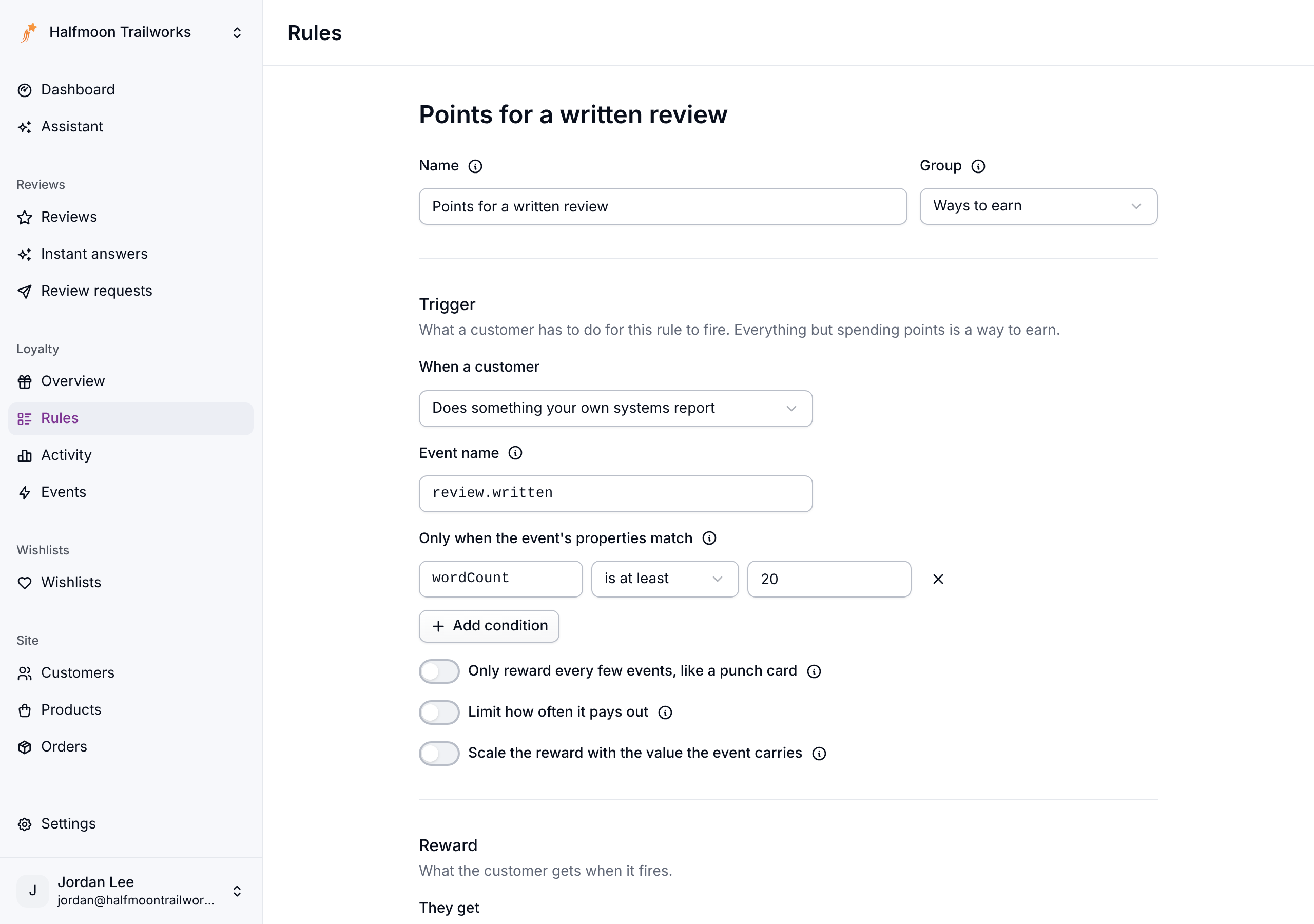
- To cap it, turn on Limit how often it pays out and set Times and Per (day, week or month, in your store's time zone).
- Pick the reward and save.
Several rules can listen for the same name, so one event can pay points and a coupon. For a one-time bonus, like a newsletter signup or a social follow, set Times one customer can earn it to 1.
To reward reviews, pay the same for every rating and say so to shoppers. See Keeping your reviews trustworthy.
Reward a daily check-in
Meisei doesn't count page views, so a reward for coming in, checking in at the gym or opening your app is a custom event too.
- Have your systems report an event like
store.checkineach time a customer checks in. - Add a rule for that event name as above, and turn on Limit how often it pays out with Times set to 1 and Per set to Day.
Customers can check in as often as they like, and the rule pays once a day.
Build a punch card
A punch card rewards every tenth visit, coffee or class rather than each one.
- Add a rule as above, with an event name like
coffee.bought. - Turn on Only reward every few events, like a punch card and set Events per reward to 10.
- Pick the reward, such as a Coupon for a percentage off at 100%, and save.
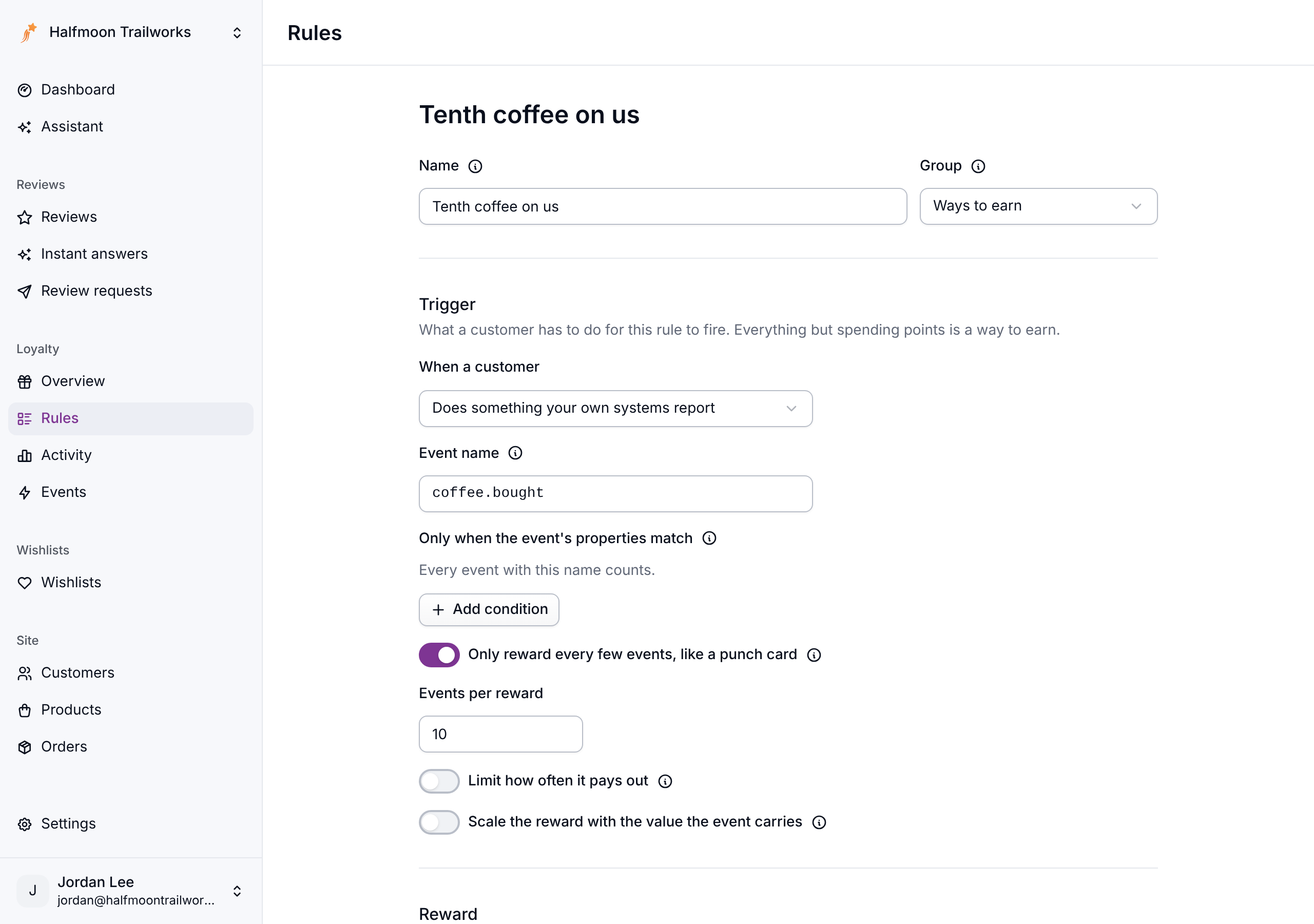
The rule pays on a customer's 10th, 20th and 30th matching event. It counts events sent before the rule existed, so customers keep the progress they already have. In the loyalty widget the rule reads "Every 10 times", and signed-in members see their progress as a row of dots (a bar on a card longer than 12).
On Shopify, Flow's Order created trigger can report order.placed, which turns orders
into a punch card. See Shopify Flow.
Check that an event arrived
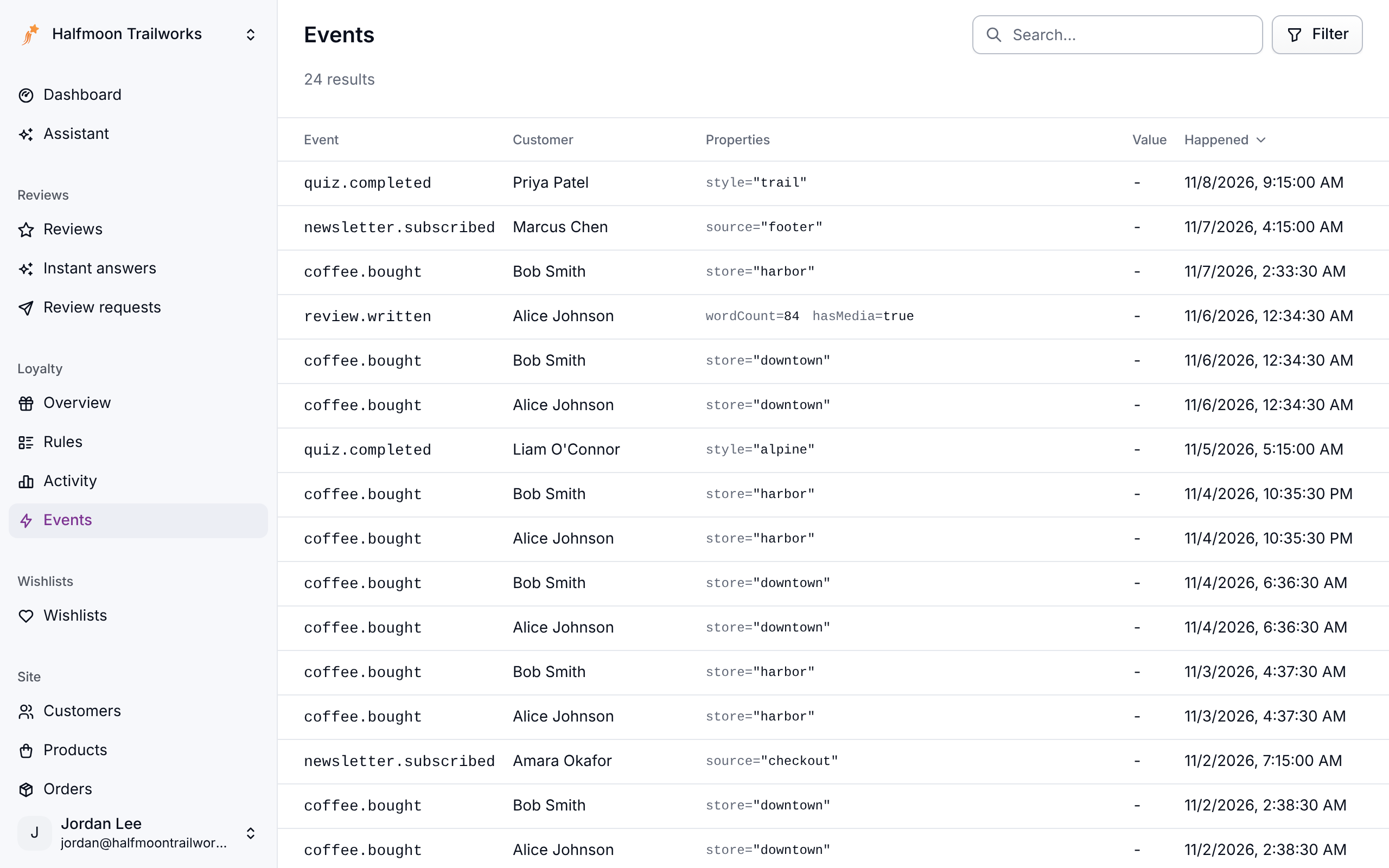
Loyalty → Events lists every event your systems reported, newest first, with its customer, properties and value. Search for a customer, or filter by Event, Customer or Date. An event shows up here even when no rule listens for its name yet, which makes this the first place to look when a rule doesn't pay.
For developers
The endpoint, its conditions, retries and limits are in Reporting custom loyalty events.
If something isn't working
- The event isn't under Events. The call failed. Check the response for a
400,404or429. - The event is there but nothing was earned. Compare its name with the rule's Event name, letter for letter, then check the rule's conditions, limits, dates and Who it applies to.
- A punch card paid early. It counts events sent before the rule existed. Events that don't match its conditions aren't counted.
Next steps
- Write the rest of your rules: Loyalty rules.
- Report events without code on Shopify: Shopify Flow.
- See what events earned: Loyalty activity.