
Changing or canceling your plan
This page helps you change the plan you commit to, switch between monthly and yearly billing, or cancel. Only an owner can do any of these.
Your plan is the least you pay each month. If you have more customers than it includes in a month, that month is billed at the cheapest plan that covers them, on its own. So you only need to change plan to commit to a bigger one (for its larger allowance at a lower price) or to lower your monthly minimum.
Change plan
- Open Settings → Billing and choose Change plan.
- Check the estimate. It starts from this month's engaged customers, or type your orders in a typical month instead, and the cheapest plan for it is marked Fits your estimate.
- Pick the plan and whether to pay monthly or yearly. Before you confirm, the dialog says what it costs.
- Confirm.
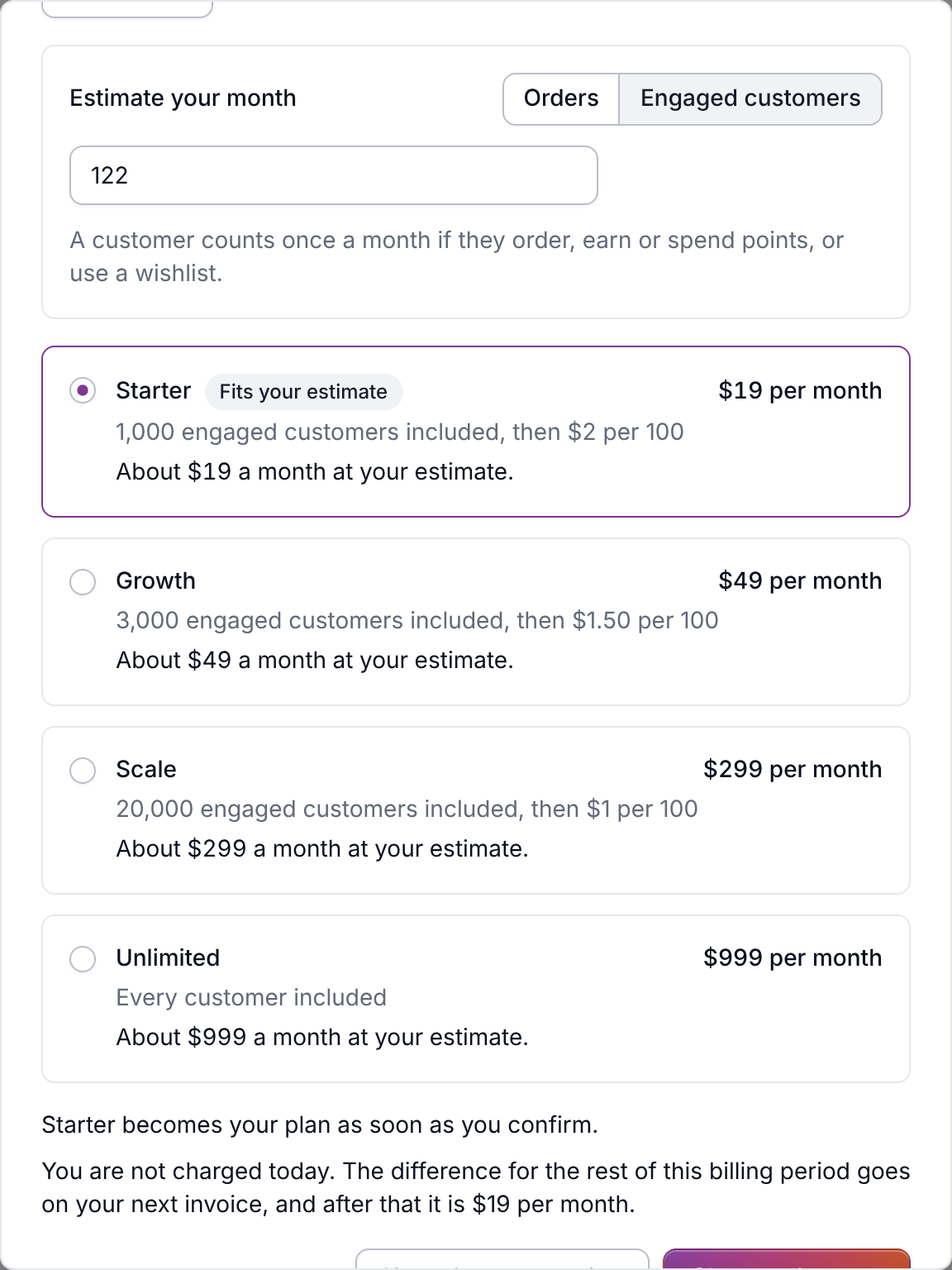
Every change takes effect immediately. Nothing is charged that day. The difference for the rest of your current period goes onto your next invoice, as a charge or a credit.
- Monthly plans can move up or down at any time. Nothing you're using blocks a smaller plan, because a busy month is still billed at the plan that covers it. Monthly, a higher plan never costs you less, so pick the one your usual month lands on.
- Yearly plans are two months free, so a yearly plan one step up can be the cheaper choice. The estimate shows it when it is.
- Once you're on a yearly plan you can move up during the year, including from monthly to yearly. Moving down, or back to monthly, isn't available until your renewal. Get in touch and we'll set it up for when your year ends.
Cancel
- Open Settings → Billing and choose Cancel plan.
- Confirm.
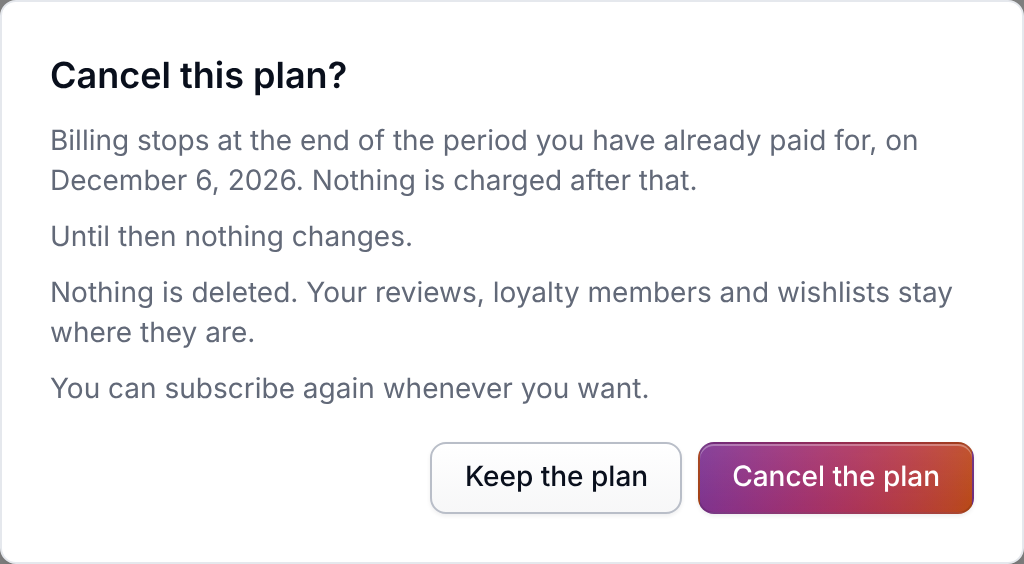
Billing stops at the end of the period you've already paid for, and everything carries on until then. After that date your account is read only: nothing is deleted, your storefront widgets keep working, and you can subscribe again whenever you want. See What happens when your trial ends, or you cancel.
If Shopify bills you
If you installed Meisei from the Shopify app store, your plan is on your Shopify invoice, and your payment details and receipts are in your Shopify admin under Settings → Billing.
- Changing plan is done in Shopify. Open the Meisei app in your Shopify admin, pick the plan, and approve the charge Shopify shows you. Nothing is billed until you approve it.
- Shopify asks you to approve a higher usage limit when you grow. Shopify caps what an app can bill for usage each month at an amount you approve. The first time a month moves into a higher plan's pricing, the top of the billing page asks you to approve the new limit in Shopify. Until you approve it, anything past the old limit is not charged.
- Canceling works from the Meisei billing page or from your Shopify admin. A Shopify charge stops right away rather than at the end of the period, and you're not charged again.
- Uninstalling the app ends the charge and the plan with it. Your Meisei account goes back to your free trial if it has days left, and is read only once it has none. Nothing is deleted, and reinstalling picks up where you left off.
- Closing Shopify's approval screen leaves your account as it was. Choose a plan again whenever you're ready.
To move from a Shopify charge to paying by card, uninstall the app and subscribe from the Meisei billing page. To go the other way, cancel your card plan first and then install the app. You're never billed twice.
If something isn't working
- The plan change controls are replaced by a line asking you to get in touch: either Shopify bills you, or we raised an allowance for your account and will move you over by hand. Nothing you were given is lost in the move.
- The page says the last payment failed or the plan is canceled: update your payment details or start a new plan first. A plan can't be changed in either state.
- The dialog says a yearly plan can only move up: you're partway through a yearly commitment. Get in touch to renew on a smaller plan or monthly billing.