
Loyalty tiers
Tiers are levels members climb by earning, like Bronze, Silver and Gold, so your best customers get something nobody else does.
Add a tier
-
Open Loyalty → Overview and find the Tiers section, then press Add tier.
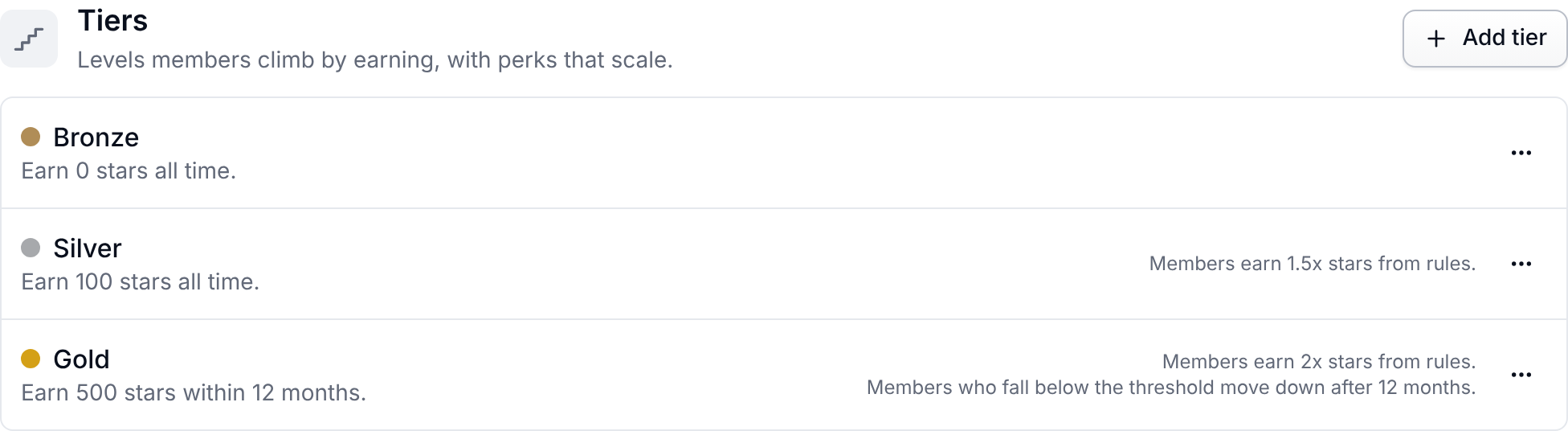
-
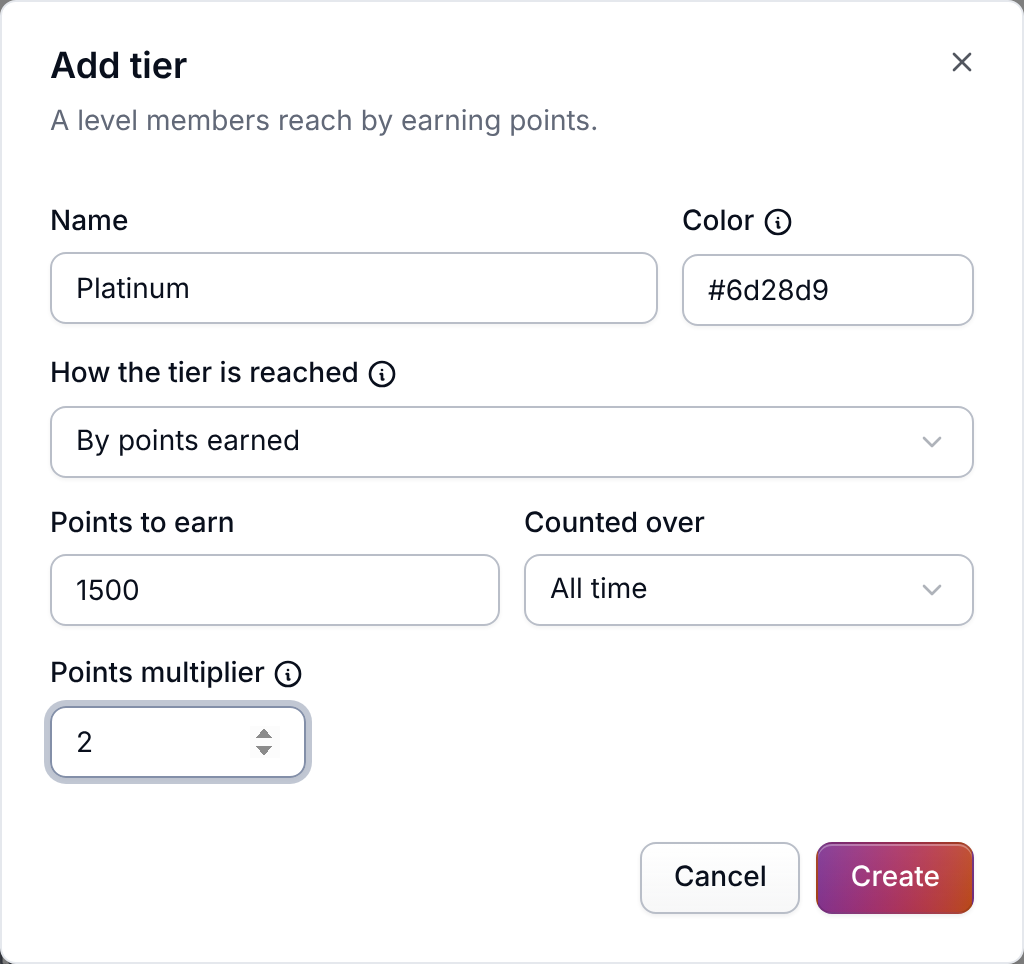
Name the tier and pick a Color for its badge, like
#d4a017. Leave it empty for a plain badge. -
Choose How the tier is reached: By points earned or Assigned by hand only.
-
For a points tier, set Points to earn and Counted over: All time or Last 12 months.
-
Optionally set a Points multiplier. 1.5 means fifty percent more points from every rule. It never applies to manual adjustments, imports, or rewards that aren't points.
Members move up as soon as they earn enough. They only move down from a Last 12 months tier, and only once they have held it for a year and no longer earn enough, so nobody drops a tier the week after a big order. Nobody ever moves down from an All time tier.
Who places members
The Loyalty tier placement automation does this. Meisei adds it under Settings → Automations the first time you add a tier with Points to earn. It runs each time a member earns points, to move them up, and once a day, to catch anyone it missed (such as members whose history you imported) and to move members down. You can change its script. If you turn it off, members stay in the tier they have until you move them by hand. See Automations.
Give a tier something exclusive
Every rule has a Who it applies to section. Add a Tier condition set to Gold and only Gold members see the rule. This works on any reward, so a launch-week 15% coupon for your top tier is one rule under Loyalty → Rules with the group set to Offers, the tier condition set to Gold, and Starts and Ends covering the week. See Loyalty rules.
Move a member by hand
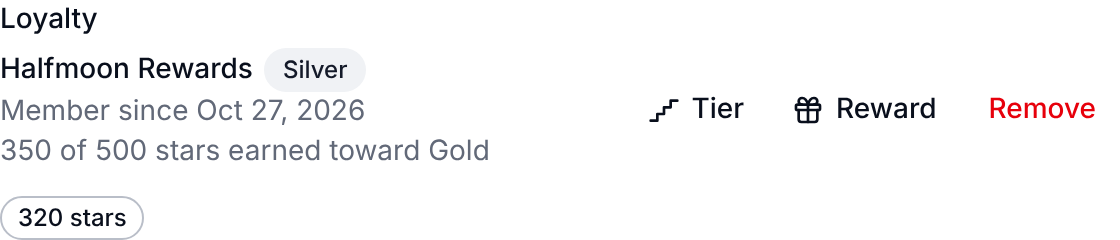
Open the customer under Customers and pin
them to a tier from the Loyalty block on their page. The placement automation leaves a
pinned member alone. Resume automatic placement unpins them, and the automation moves
them on its next daily run, or sooner if they earn points first. Every move, automatic or
by hand, appears in
Loyalty → Activity as a tier change.
Retire a tier
Archiving a tier stops new members reaching it. Members already in it stay there.
Next steps
- Bring tiers across from another app: Moving a loyalty program to Meisei.
- Write the rules members earn from: Loyalty rules.