
Sending Meisei to Slack
Post new reviews and loyalty activity into a Slack channel, and get a daily or weekly recap of how the store is doing.
Connect Slack
- In Slack, create an incoming webhook and choose the channel it posts to. Slack's own guide
is Sending messages using incoming webhooks.
You'll end up with a URL starting
https://hooks.slack.com/. - In Meisei, open Settings → Integrations and click Slack, which reads Not connected on the right.
- Paste the webhook URL, and name the channel so you can tell later which one it posts to. The name is only a label in Meisei. Press Connect.
- Open the ... menu beside Slack and choose Send a test message. Your channel should get one straight away.
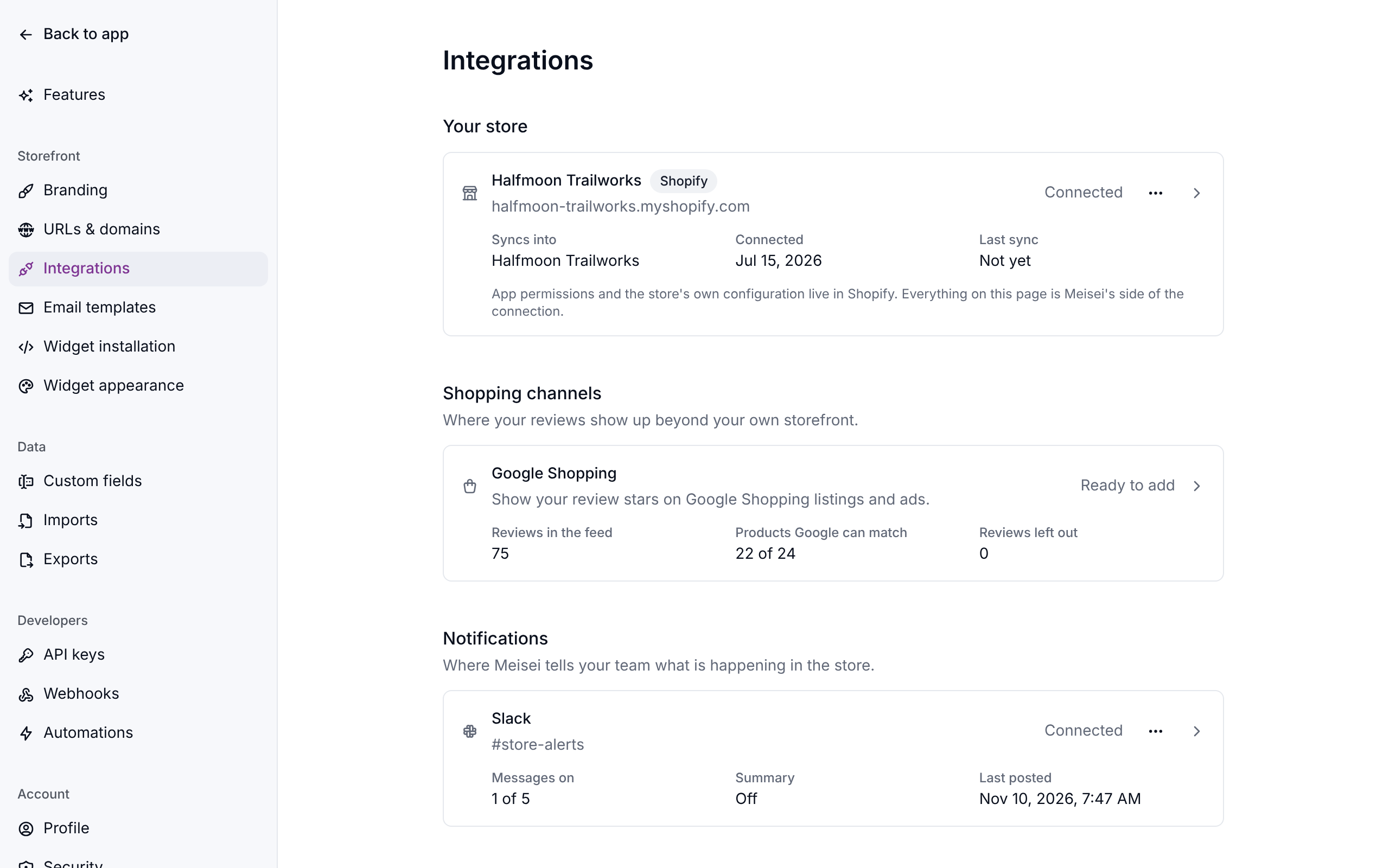
Meisei starts by posting new reviews. Everything else is off until you switch it on.
Choose what gets posted
Click Slack on the integrations page. Each message type has a switch of its own:
Someone who left the program and comes back is posted as a returning member, not a new one.
A review arrives also takes a rating, so you can hear about the 1 and 2 star reviews that need a reply and skip the rest. An unrated review always posts.
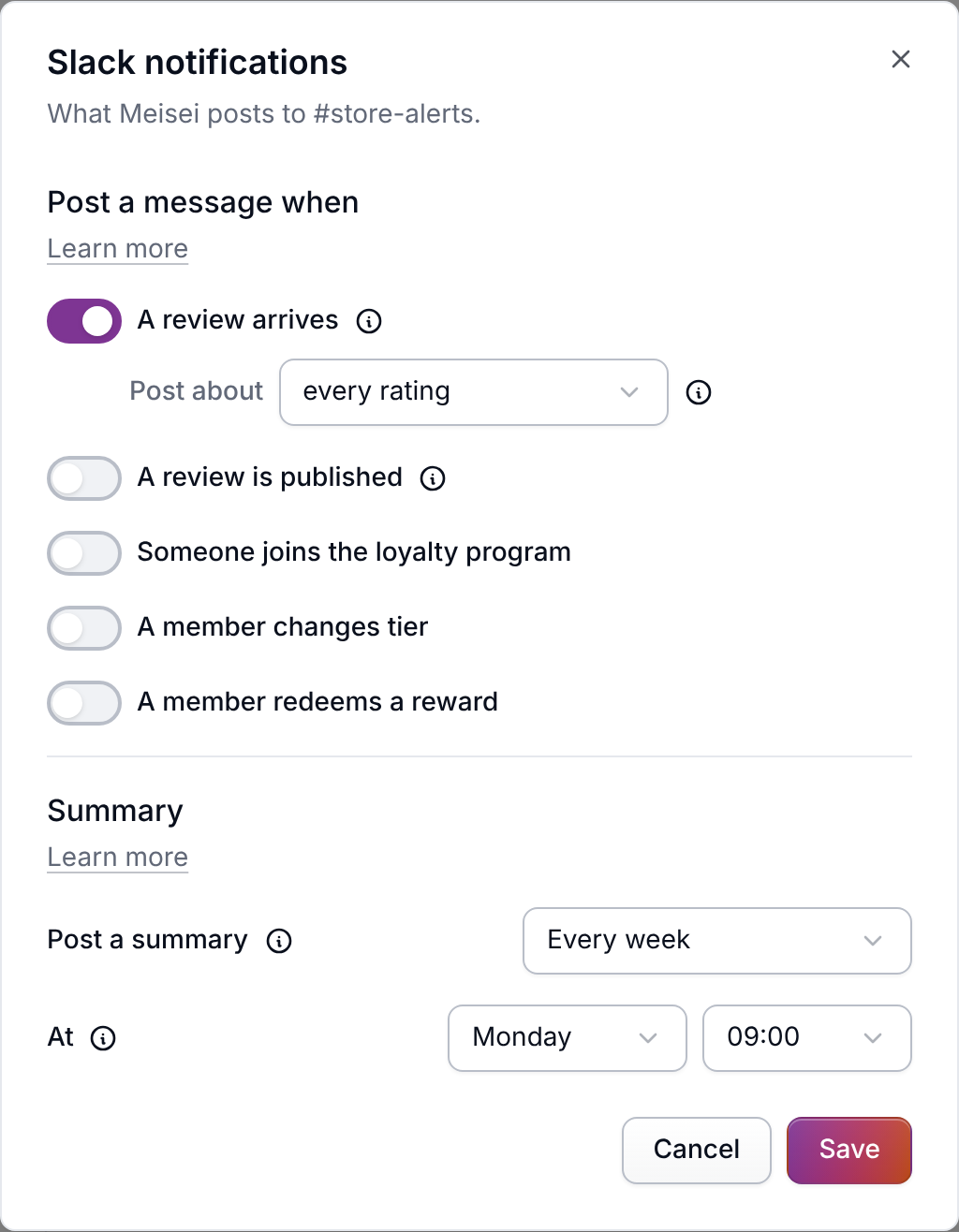
Get a daily or weekly summary
In the same window, set Post a summary to every day or every week, then pick the time. The time is your store's own, set on Settings → General.
A summary covers the last day or the last week: how many reviews arrived and their average rating, how many are still waiting for a decision, and your loyalty activity. A period with no activity posts nothing, rather than a row of zeroes.
If something isn't working
- Nothing is arriving. Check under Slack on the integrations page for a warning. Slack stops accepting a webhook once someone removes it, and the page says so with the date and Slack's own reason. Create a new webhook in Slack, then disconnect and reconnect.
- Too many messages. Lower the rating on A review arrives, or turn that message off and use the summary instead.
- Posting to the wrong channel. A webhook is tied to the channel it was created for, so pointing Meisei somewhere else means a new webhook. Disconnect, then connect the new one.
- The team wants emails too. Slack and email are separate. Email alerts for reviews are on Settings → Features → Reviews.
Next steps
- Work the queue: Moderating reviews.
- Send the same events to Klaviyo: Sending Meisei to Klaviyo.
- Automate more than messages: Automating with Shopify Flow.