
Plans and limits
This page helps you pick a plan, and tells you what happens if you reach a limit on the one you have.
What a plan costs
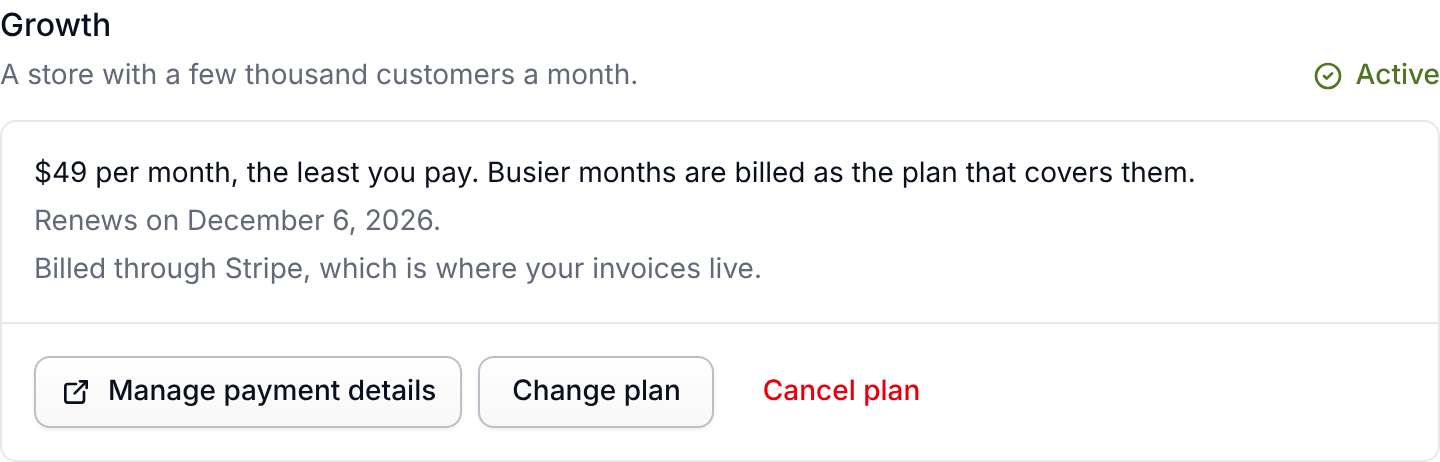
Every feature is on every plan. Paying for a year is 17% less than paying monthly, which is two months free. Prices are in US dollars and cover your whole account: every store, every team member and all four products.
Each month we bill the cheapest plan that covers the customers you actually had, starting from the plan you chose, and never more than $999 a month. Need invoicing, a DPA or several organizations on one agreement? Talk to us about a contract on top of Unlimited.
Every new account starts on a 14-day free trial with no card needed. If the trial runs out without a plan, your account goes read only rather than being charged or deleted. See Billing.
The one number a plan is priced on
A customer counts once a month if they order, earn or spend points, or use a wishlist. However many of those they do, they count once. Imports, browsing your store and reviews never count, so bringing your history over costs nothing.
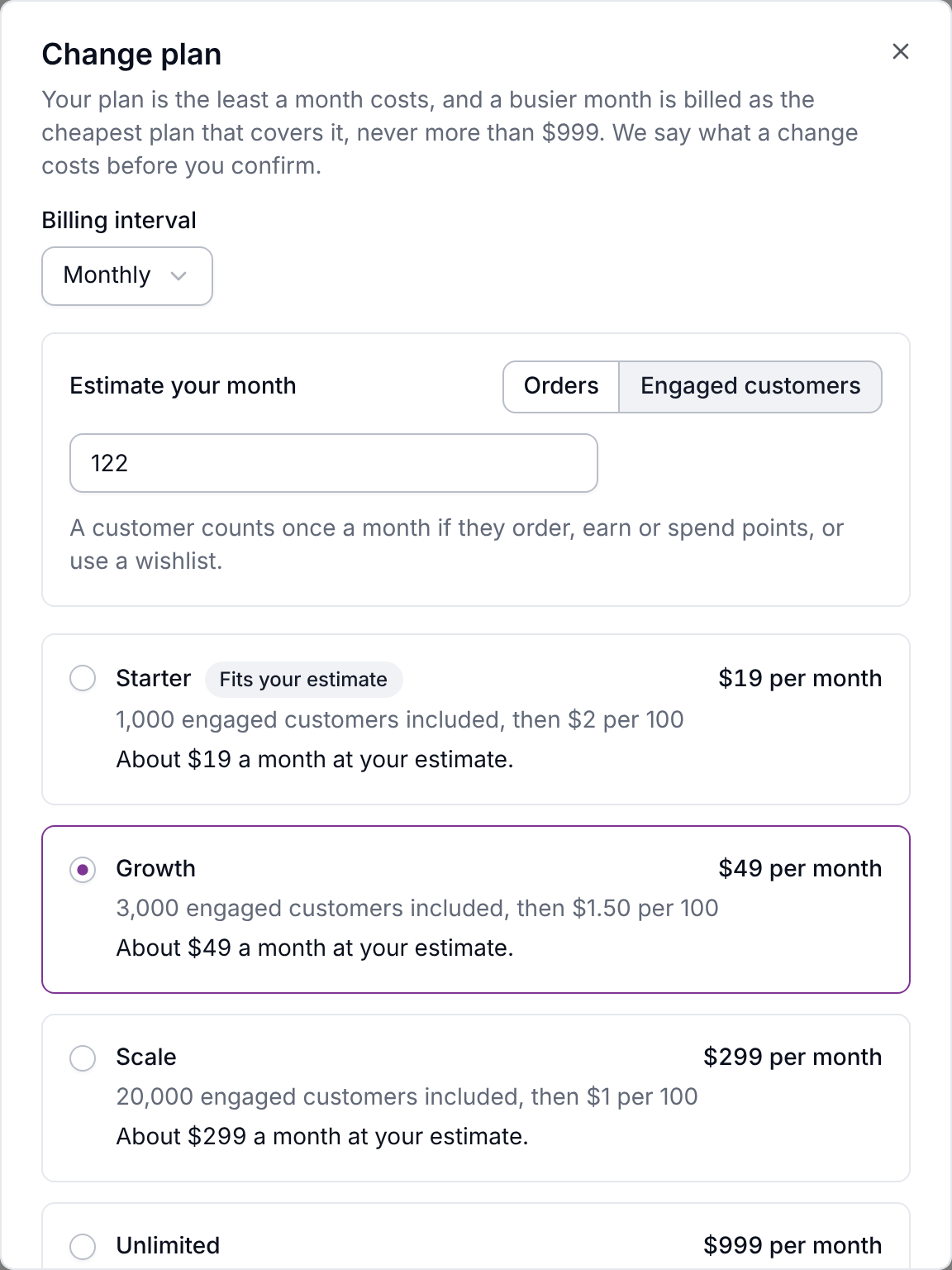
Not sure where you land? Most stores have about four engaged customers for every five orders, because a repeat buyer counts once. The plan picker on Settings → Billing works it out from your monthly orders and marks the plan that fits.
Past your plan's included customers, each started 100 costs $2 on Starter, $1.50 on Growth and $1 on Scale, up to the next plan's price. Past that point, the month is billed as that plan. Unlimited has nothing to go past. You can turn overage off on Settings → Billing. See Going over an allowance.
Everything else is a safety net
Every other number (products, customers, team members, connected stores, uploads and so on) is set high enough that normal use never reaches it. It exists so a runaway import or a misbehaving integration cannot quietly run up your account. The full list is on Every limit by plan.
The free trial has smaller safety nets, because nobody has paid yet: imports of up to 5,000 rows, 2 connected stores, 5 team members and 1,000 emails. They're lifted when your first payment goes through.
What happens when you reach a limit
- Your included customers: nothing stops the day it happens. You get a warning at 80 percent, and after that it depends on whether overage billing is on. Nothing is deleted either way, and your storefront never changes. See Going over an allowance.
- A safety-net limit: everyone in your organization gets an email when you reach 80 percent of one that's counted on the Billing page. At the limit, only creating something new is refused, with a message naming the limit. Reading, editing and deleting what you already have always work. If you need more, ask us and we'll raise it.
- Emails a month: marketing emails to your customers (review requests, loyalty and wishlist emails) pause until the month resets. Emails a customer just asked for, like a reward code they redeemed, keep going a while longer. Emails to your team never count.
- Rows in one import: the import still runs, bringing in the newest rows and skipping the rest. See Imports and exports.
- Automation runs a month: new runs are skipped until the month resets, and the Billing page shows how many. See Automations.
Watching your usage
Settings → Billing shows how many engaged customers you have this month, what the month comes to so far, and how far it is from the next plan's pricing. The safety nets are listed under Limits at the foot of the same page.
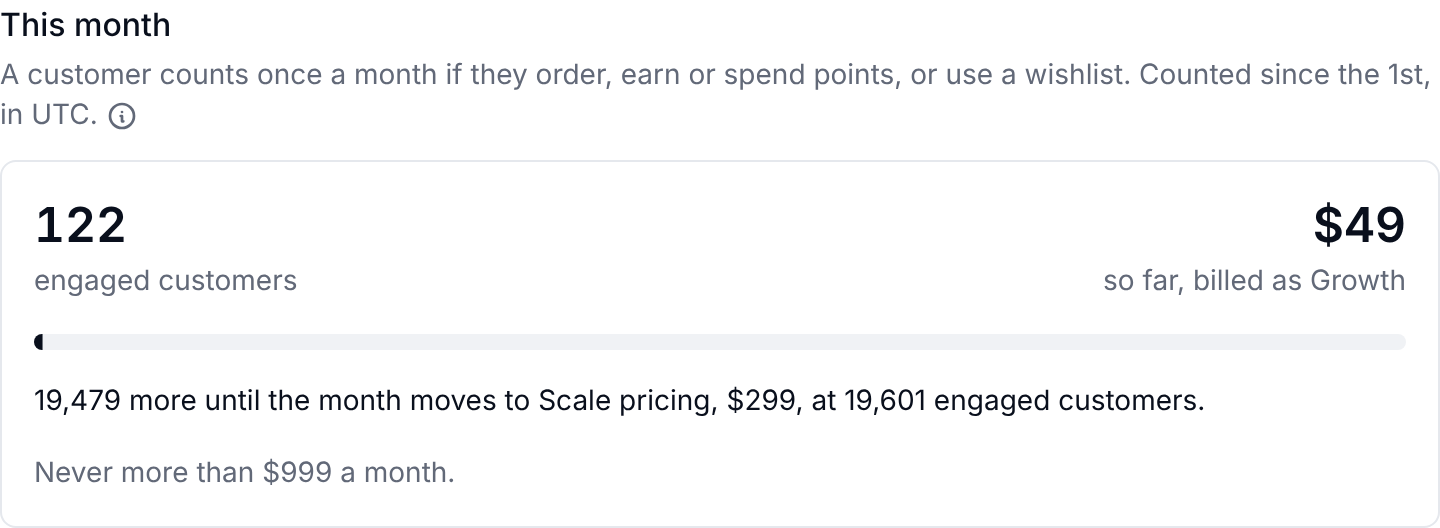
Monthly counts cover the current calendar month in UTC and reset when it rolls over. Counts can lag a few minutes behind.
Raising a limit
Any single safety-net limit can be raised for your account without moving you up a plan. If one number is the only thing in your way, an unusually large catalog or a one-off migration for example, ask us rather than upgrading.
Next steps
- Billing: start a plan, find your invoices, change or cancel.
- Going over an allowance: the whole sequence, with rates.
- Every limit by plan: the complete tables.