
Webhooks
This guide is for a developer connecting Meisei to their own systems. A webhook is a URL of yours that Meisei posts to when something happens, so you hear about a published review or a redeemed reward without polling for it. Every event is also kept for 30 days in an event log you can read on your own schedule. See Reading the event log.
Registering an endpoint
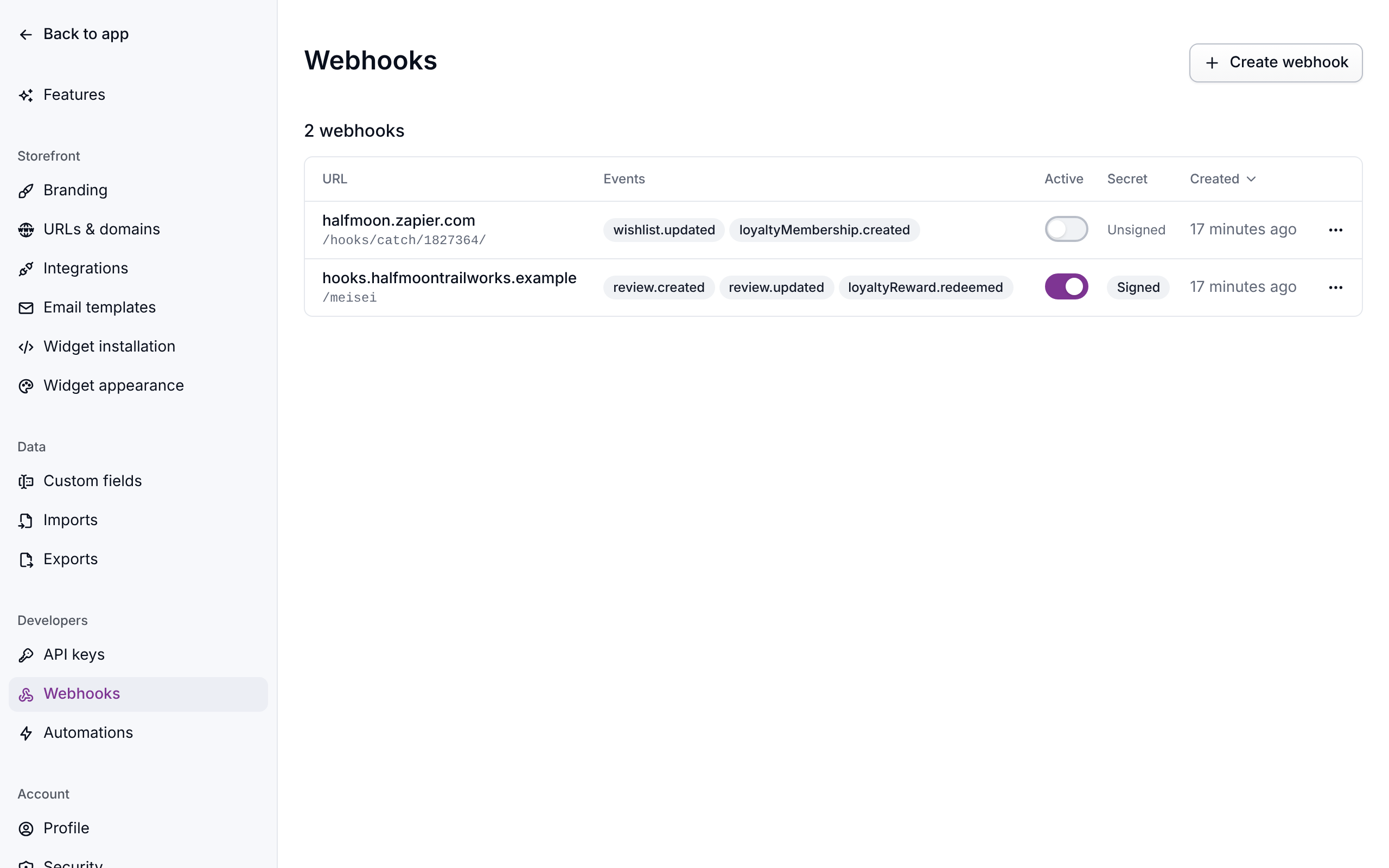
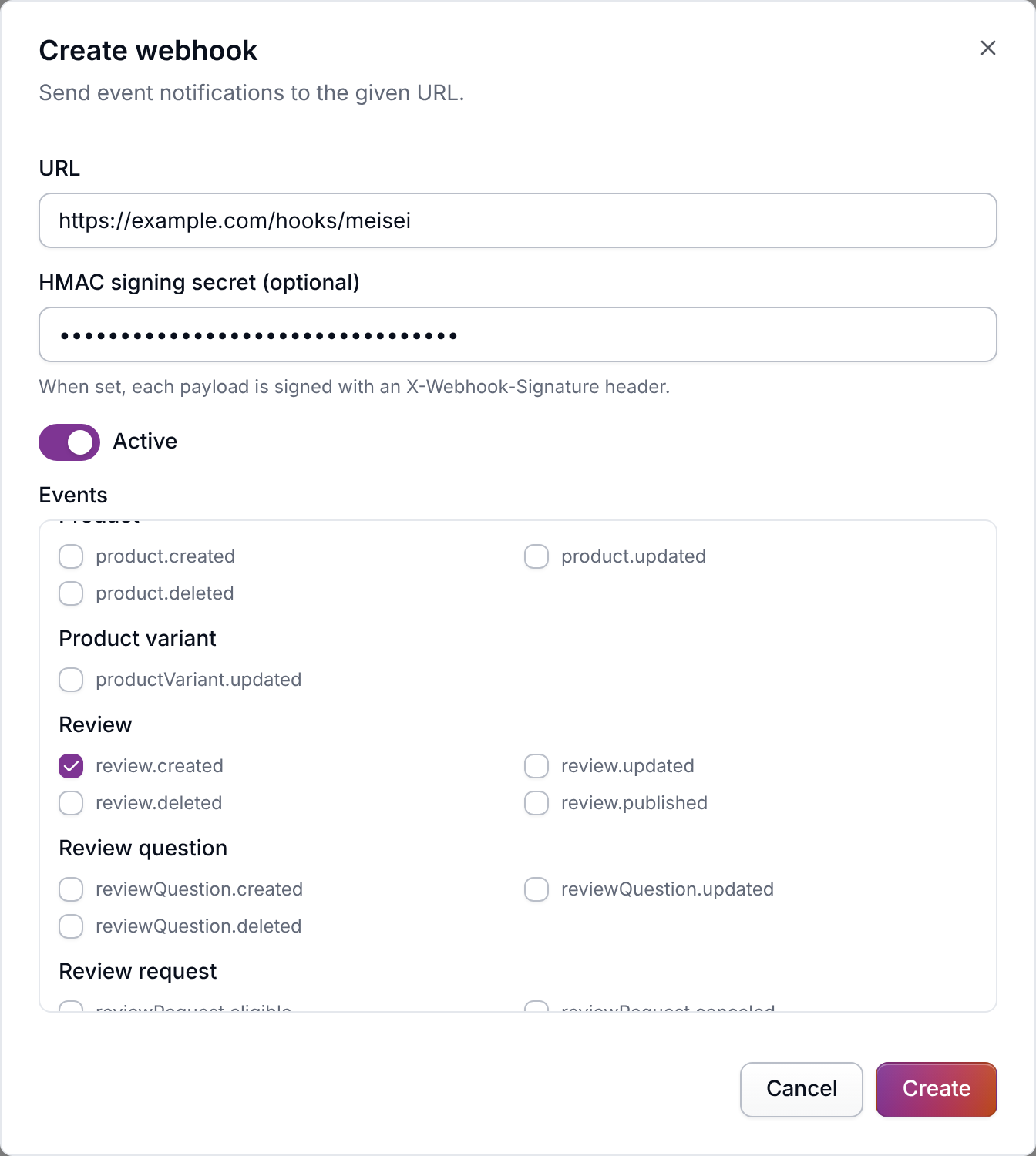
Add one under Settings → Webhooks, or over the API:
The URL has to be a public https:// address. An address on a private network, an IP
address, or a host of Meisei's own is refused when you save it. Meisei doesn't follow
redirects either. A delivery that gets a 3xx answer counts as failed, so register the URL
your endpoint answers on. Subscribe to the events you handle. On an update, the list you send
replaces the whole subscription, so send the full list every time.
hmacSecret is a shared secret you choose. Meisei never returns it again, so store it
alongside your own configuration. Leave it out and deliveries are unsigned, which means
your endpoint has no way to tell a real delivery from anyone who guesses the URL.
Editing an endpoint under Settings → Webhooks leaves the secret alone unless you say
otherwise. The secret field is blank when the dialog opens, and a blank field keeps whatever
is stored.
To stop signing, tick "Stop signing this endpoint and remove the secret." Over the API the
same two choices are the difference between omitting hmacSecret and sending it as null.
What a delivery looks like
Every delivery is a POST with the same envelope:
id is the event's own ID, the same one the event log lists it under. data is the record
the event is about, in the same shape the API returns it, so every ID
in it is the same short ID the API uses and can be sent straight back to a GET. Answer
with any 2xx status. Anything else, or no answer within 15 seconds, is a failed attempt,
and Meisei tries again (see Duplicates and retries).
What changed in an update
Every updated delivery also carries previousAttributes: each field of data that has
changed since the last event about the same record, at the value that event carried. Fields
that stayed the same are left out.
That is enough to tell a price drop from a restock without keeping your own copy of the
catalog. A field that is an object, such as metadata, is compared as a whole, so
previousAttributes.metadata holds the entire old object. Customers, orders and products
also carry tags, the names of their tags in alphabetical order, so a tag change arrives as
previousAttributes.tags with the old list.
"Since the last event" matters in one case. A change Meisei makes without sending an event,
such as a CSV import job, shows up in the next event about that record instead. So if you keep
your own copy of a record, applying each delivery's data keeps it right.
The first updated event about a record with no earlier event has no previousAttributes,
since there is nothing to compare it with. Other kinds of event never carry it. The event log
returns the same field, as null where there is none.
Answer quickly, and do your own work afterwards. Meisei waits for your response, so an endpoint that takes ten seconds to process the payload takes ten seconds to acknowledge it.
Verifying the signature
When a secret is set, deliveries carry an X-Webhook-Signature header:
It is the HMAC-SHA256 of the raw request body, keyed with your secret, hex encoded,
prefixed with sha256=.
Verify it before you parse the body. Re-serializing the JSON changes the bytes, and the digest never matches again. This is the most common mistake in a webhook receiver.
Compare in constant time, as above, rather than with ===.
Duplicates and retries
Every delivery carries an idempotencyKey. The same key is never delivered twice to the
same webhook, but you can still end up processing the same work twice. That happens if your
answer never reached us, or if your own handler crashed after acknowledging. Record the key and ignore one you have already handled.
A delivery your endpoint rejects or times out on is tried again after 1 minute, 5 minutes,
30 minutes, 2 hours and 8 hours: six attempts in all, the last about ten and a half hours
after the first. Every attempt carries the same idempotencyKey and the same payload, sent
to the webhook's current URL, so fixing a broken endpoint or its URL within that window
loses nothing. A delivery that fails all six is marked failed and is not sent again on
its own. A webhook whose URL Meisei no longer accepts (a private address saved before that
was checked) fails at once, with no retries. Turning a webhook off stops its pending retries
too. Anything that matters can still be reconciled from the event log, which holds every event whether
or not it was delivered.
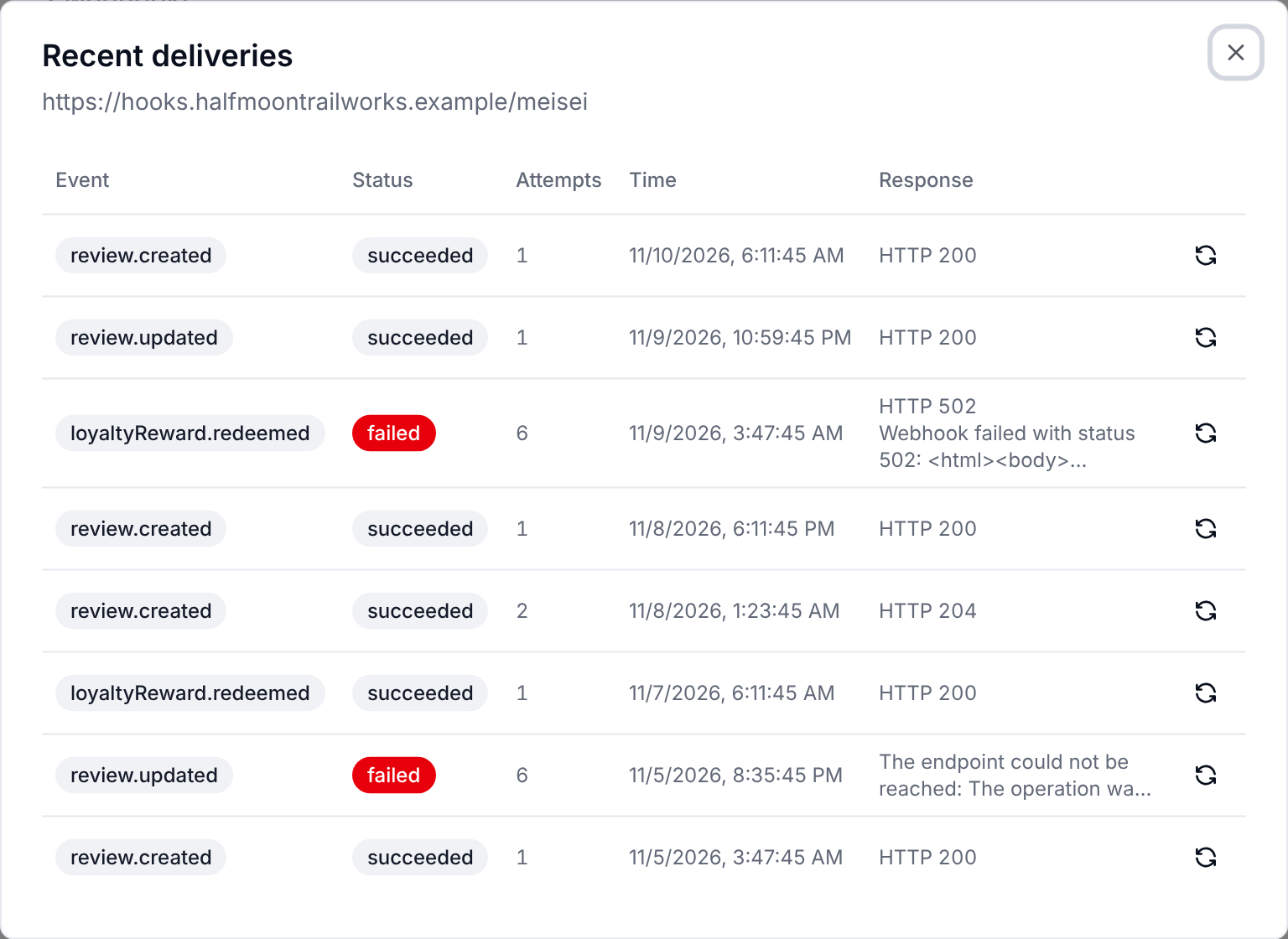
Every delivery is listed under the webhook in Settings → Webhooks, with its status
(pending, retrying, succeeded or failed), how many attempts it has taken, and the
HTTP status and error of the latest one. Over the API it is
GET /webhooks/{id}/events, and status=failed lists the deliveries that
ran out of retries. Each row holds the payload that was sent, so you can see what your
endpoint was asked to accept, and the eventId it carried. Deliveries are kept for 30
days, as long as the event log keeps the events themselves.
To send one again after fixing your endpoint, click its Send again button in the
deliveries list, or call
POST /webhooks/{id}/events/{eventId}/redeliver. That makes one
more attempt immediately, and Meisei does not retry it if it fails.
The events
Names are resource.action. Subscribe with the exact string.
GET /webhook-events returns the current list.
Store data
Customers, orders and products arrive from your store's sync or from the import endpoints,
and each one fires created the first time and updated after that. A sync that changes a
variant's price, stock or metadata also fires productVariant.updated for that variant, with
the productId it belongs to. A sync that leaves a variant as it was fires nothing for it. The first sync to see a variant only
records it, so the event starts with the second. A customer Meisei meets
first through a widget, a review or a loyalty event fires customer.created too. A CSV import
job, or the history Meisei pulls in when you first connect a store, fires nothing, because it brings in
past records rather than new changes.
Changing tags or metadata on many customers, orders or products at once, from a list in the
dashboard or the bulk update endpoints, fires updated for each one that changed.
Adding a tag a customer already has fires nothing for them.
A tag isn't a record of its own. It exists only while a customer, order or product carries
it, so it has no events. Renaming or removing a tag is a bulk update of the records that carry it,
and each of them fires updated with its old tags in previousAttributes.tags.
Reviews and surveys
A review that arrives unpublished and is published later fires review.created then
review.updated. If you are syncing reviews to your own storefront, look at published
on the payload rather than assuming created means visible, or subscribe to
review.published, which fires once a review is visible.
reviewRequest.eligible and reviewRequest.canceled fire only when your review requests are
sent by Klaviyo rather than by Meisei. reviewRequest.eligible fires when an order is due
its request, and reviewRequest.canceled fires when that order is canceled.
Loyalty
Configuration changes fire too: loyaltyProgram.*, loyaltyRule.* and loyaltyTier.*,
each with created, updated and deleted.
The two expiringSoon events come from the overnight job rather than from anything a
customer did, so they arrive on your organization's schedule. See
Loyalty.
Wishlists
wishlist.created, wishlist.updated and wishlist.deleted.
There are no item-level events. Adding, removing or editing an item fires
wishlist.updated for the list it belongs to.
Schedules
Neither is about a record. data carries scheduledAt, timeZone, localDate (as
YYYY-MM-DD) and localHour, so a receiver can do a daily job (a birthday sweep, a
report) without running a clock of its own. Both are most useful with an
automation.
Everything else
emailTemplate.*, webhook.* and metadataDefinition.* fire on their own configuration
changes, each with created, updated and deleted. A metadataDefinition event is a
custom field being defined, changed or removed.
Saved views, charts and dashboards are your team's own workspace rather than store data, so they fire nothing.
Testing an endpoint
The fastest way to see real deliveries is the example custom store, which registers a webhook against itself on boot and shows every inbound event in one list. See Custom integration.
While you are building, point the webhook at a tunnel to your machine and watch the deliveries land under Settings → Webhooks. A delivery that fails tells you the status and the body your endpoint returned, which is usually enough to see what went wrong.